KIWIKIT for Dry Cleaners
Run your entire dry cleaning business from one powerful ERP
Take orders at the counter, tag and track every garment, bill and collect payments, keep customers updated on WhatsApp and run every branch — in one system your whole team can use in English, Hindi or Marathi.
- 3-day free trial
- No card required
- Unlimited orders
- English, Hindi & Marathi
The problem
Managing a dry cleaning business shouldn't be this complicated
Most shops run on paper slips, a notebook and memory. It works — until the shop gets busy, staff change, or a second branch opens.
Orders in notebooks
Slips get lost, handwriting gets misread, and nobody knows how many orders are due today.
Garments go missing
When five shirts come in together, it's hard to prove which came back and which didn't.
Payment confusion
Advances, part-payments and old balances live in someone's memory — or nowhere at all.
“Is it ready yet?”
Customers call the counter all day to ask about their clothes, while others wait in line.
Staff working blind
The counter and the cleaning floor don't see the same list, so work gets missed or duplicated.
No view of the business
Collections, pending orders and dues take hours to add up — and longer for every branch.
The solution
One ERP. One dashboard. Complete control.
KIWIKIT replaces the notebook, the slip book and the end-of-day calculations with one system built around the dry cleaning counter.
- Every order, garment and payment recorded once, at the counter
- A QR tag on every garment, scanned as work is done
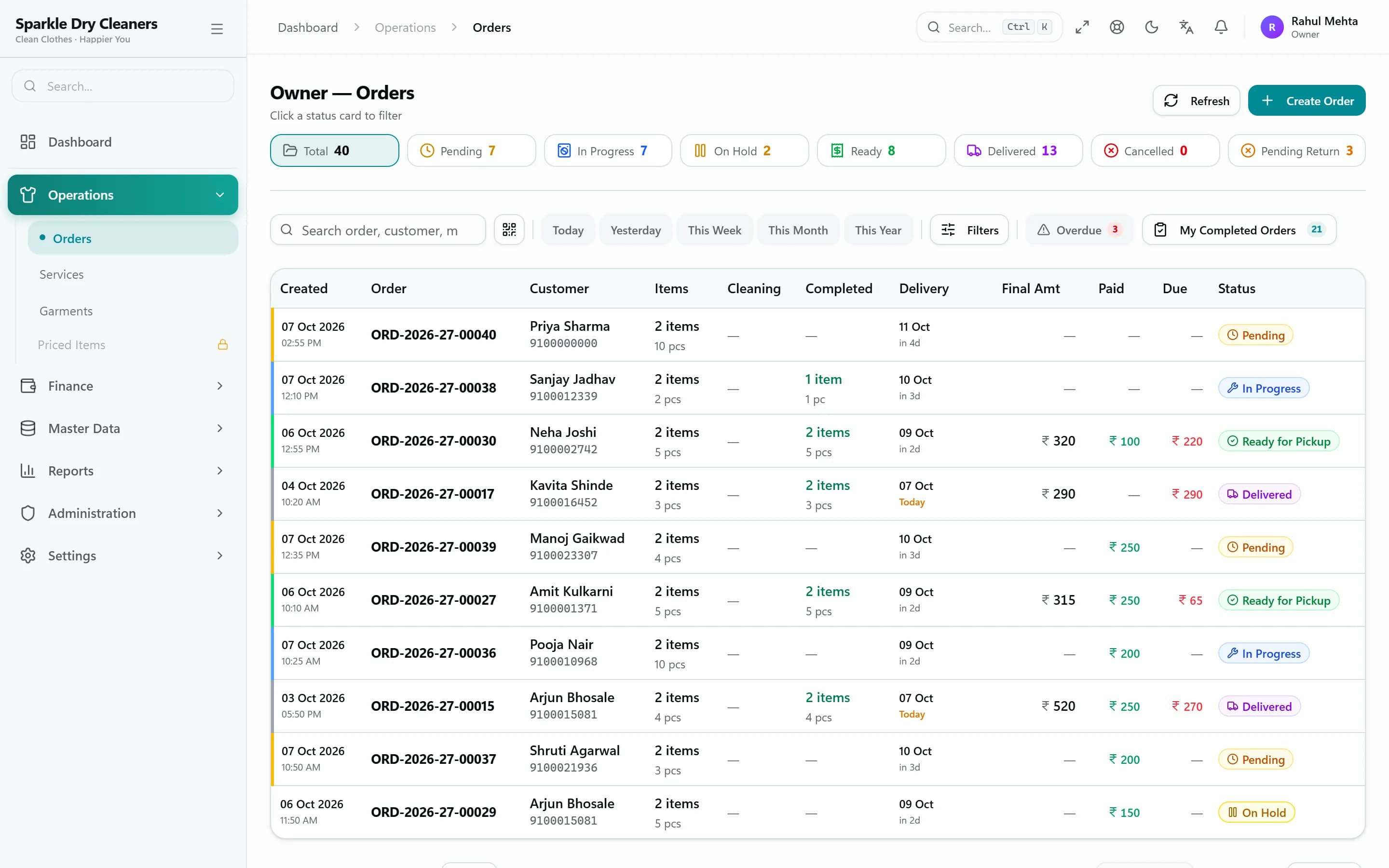
- Receivables, ledgers and a cash book that stay up to date on their own
- Automatic WhatsApp updates and a tracking link for every order
- One live order list for the counter, the cleaning floor and the owner
- A dashboard and reports for today, this week and any period
How an order flows
From counter to customer, every step is tracked
KIWIKIT follows each order the way your shop already works — and keeps the counter, the cleaning floor and the customer on the same page.
- Step 1Received
Order taken at the counter
- Garments, services and rates from your rate card
- A QR tag printed for every garment
- Receipt sent to the customer on WhatsApp
- Step 2In Cleaning
Work moves garment by garment
- Staff scan each tag as a piece is finished
- Inspection notes and photos stay with the order
- Overdue orders stand out in the list
- Step 3Ready for Pickup
The bill is ready when the clothes are
- Bill generated when the last garment is done
- Customer told on WhatsApp with a tracking link
- Balance due shown on the link and the bill
- Step 4Delivered
Hand over and collect
- Hand over all garments, or only the finished ones
- Collect the balance by cash, UPI, card and more
- Every receipt lands in the customer's ledger
Waiting on the customer — say, for approval on a stain treatment? Put the order On Hold with a reason, and resume it when you're ready.
Ready on day one
Start with a rate card that already knows your garments
Every new shop starts with 30 common garments — from shirts and sarees to sherwanis and blankets — each priced for its services, with an urgent rate alongside. Change any price in minutes, and add a photo to each garment so staff pick by picture.

Shirt
Dry Clean
₹60Urgent ₹90

Saree
Saree Polish / Rolling
₹200Urgent ₹300

Suit (2 pc)
Dry Clean
₹250Urgent ₹375
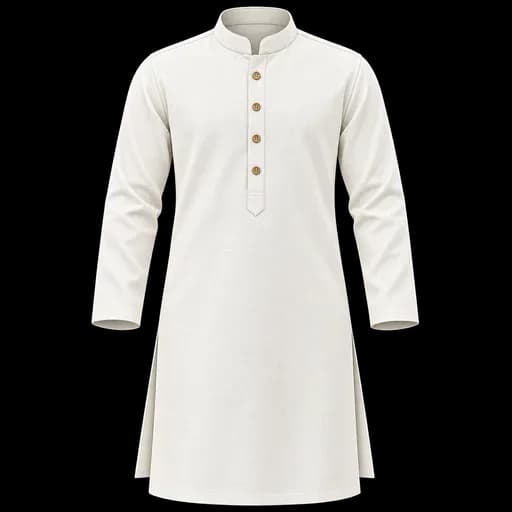
Kurta
Wash & Iron
₹30Urgent ₹45

Blazer / Coat
Dry Clean
₹200Urgent ₹300

Jeans
Dry Clean
₹80Urgent ₹120
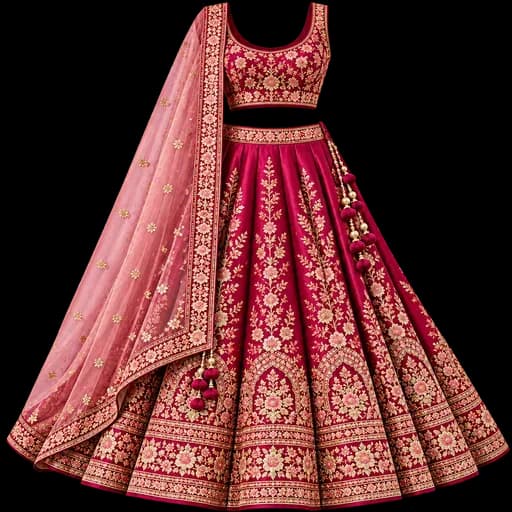
Lehenga
Dry Clean
₹600Urgent ₹900
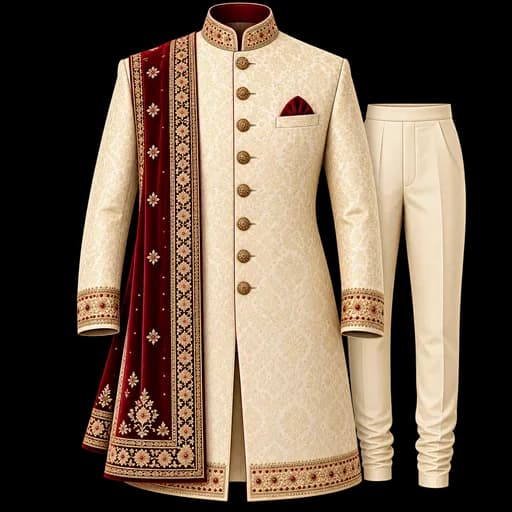
Sherwani
Dry Clean
₹400Urgent ₹600
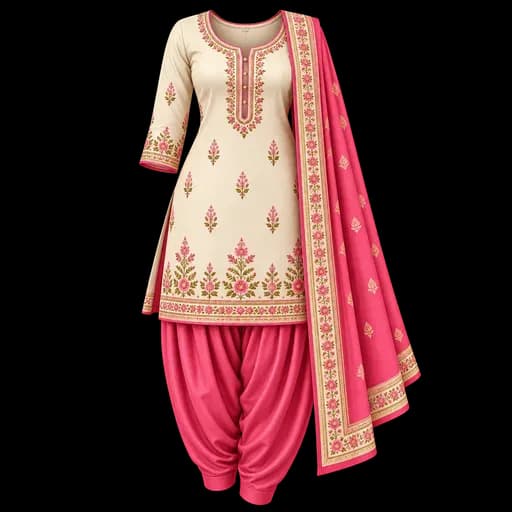
Salwar Suit
Dry Clean
₹150Urgent ₹225
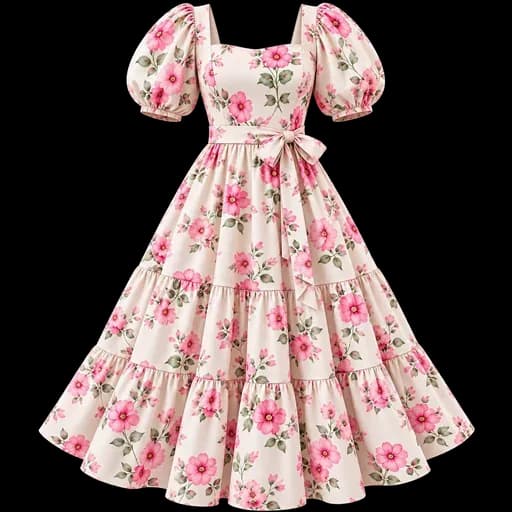
Dress / One-piece
Dry Clean
₹180Urgent ₹270

Sweater
Dry Clean
₹120Urgent ₹180

Blanket (Double)
Wash & Fold
₹200Urgent ₹300
Default starting rates shown — every shop sets its own prices.
Key features
Everything the counter, the floor and the owner need
Five parts of the ERP that change a shop's day the most — and all of them work together.
Counter & orders
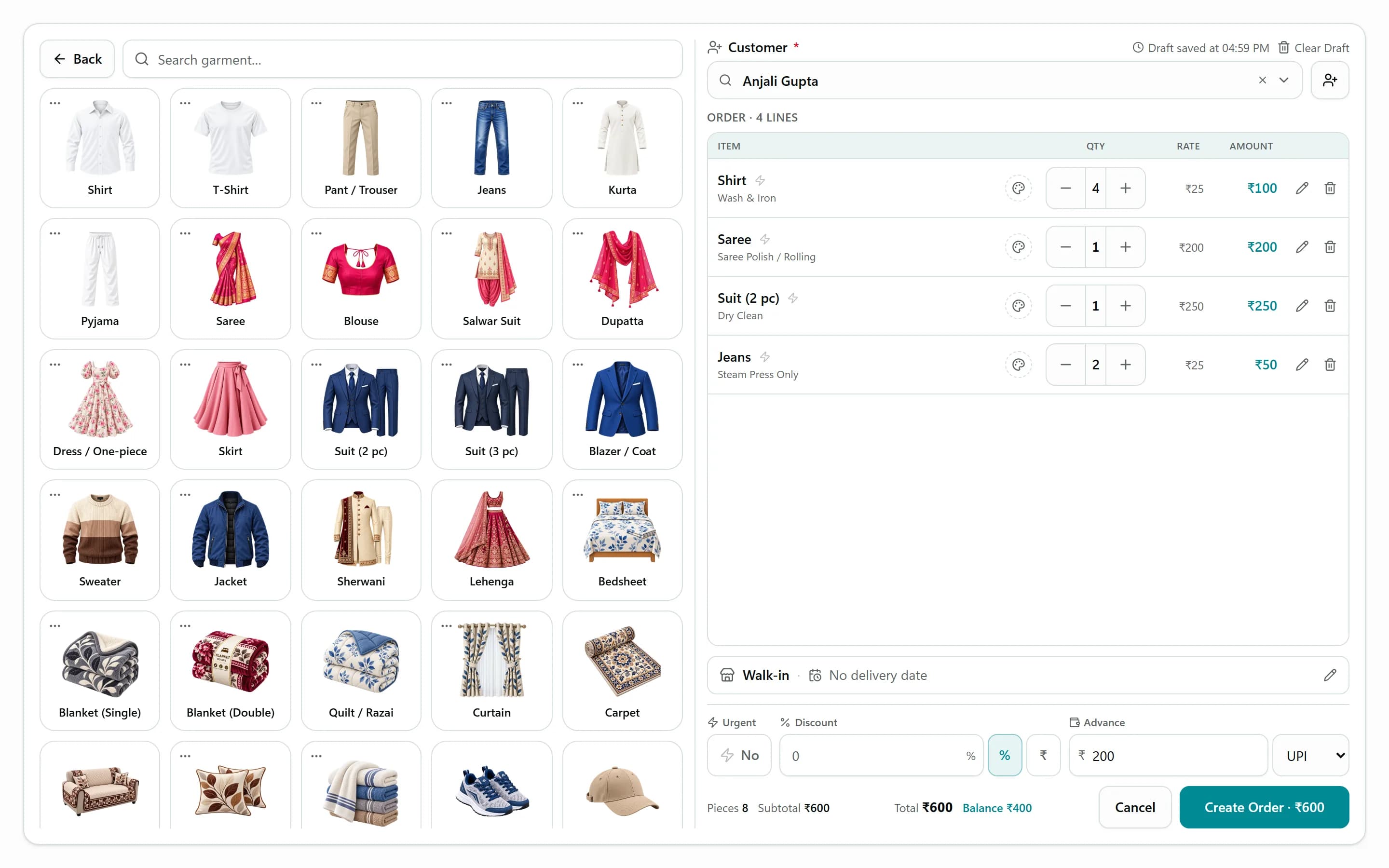
Take an order in seconds, not minutes
Counter staff tap a garment and a service, and the rate comes from your rate card. Normal and urgent rates, pricing by piece or by KG, express orders, the expected delivery date and an advance are all captured on one screen.
- Tap-to-add grid built from your own garments and services
- Normal and urgent rates, by piece or by weight
- Express flag, delivery date and time, rack number
- Advance payment recorded with a receipt on the spot
Garment tracking
Know where every single garment is
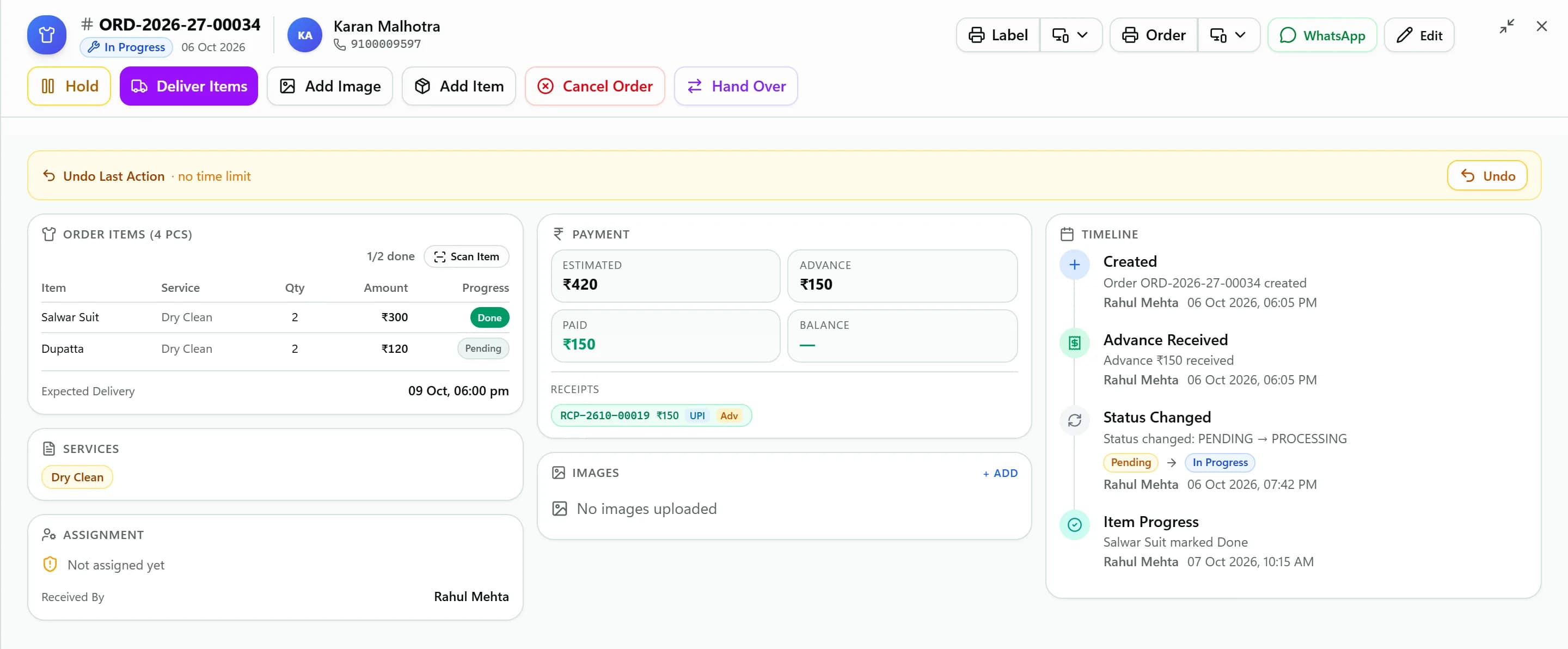
Every garment gets its own QR tag. Staff scan it with a phone camera to move that piece to the next stage, and when the last garment is done the order becomes Ready for Pickup with its bill generated.
- One QR tag per garment, plus an order barcode
- Scan with any phone camera to update a garment
- Inspection tags, condition notes and up to 4 photos per order
- Hand over finished garments before the rest are ready
Customer updates
Customers stop calling to ask “is it ready?”
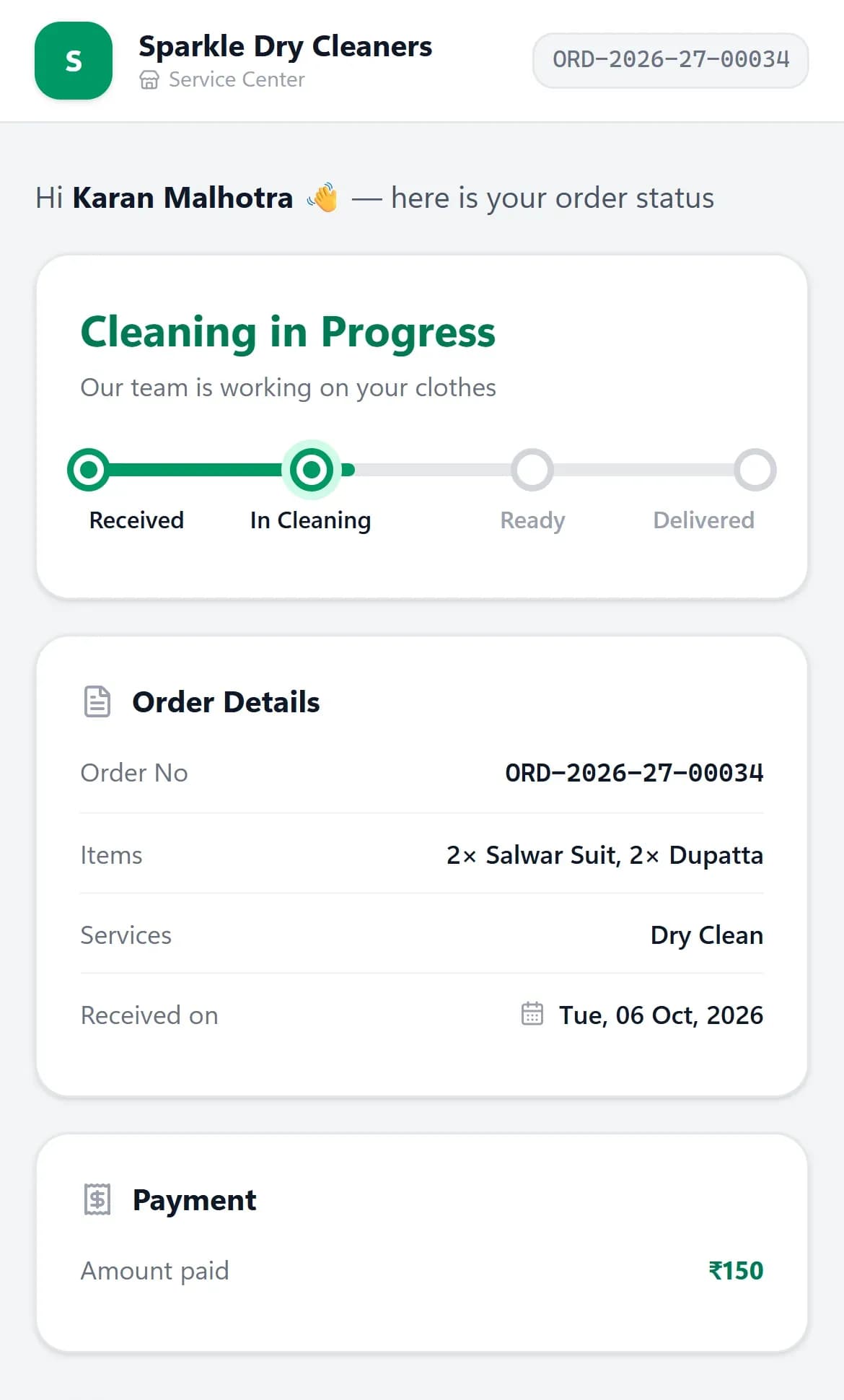
KIWIKIT sends WhatsApp messages as the order moves — received with a PDF receipt, in cleaning, on hold, ready, handed over — and each order has a private tracking link showing its status, amount paid and balance.
- Automatic WhatsApp at every stage, with editable templates
- PDF receipt sent when the order is taken
- Private tracking link with status and balance due
- Each branch can send from its own WhatsApp number
Billing & payments
Every rupee accounted for
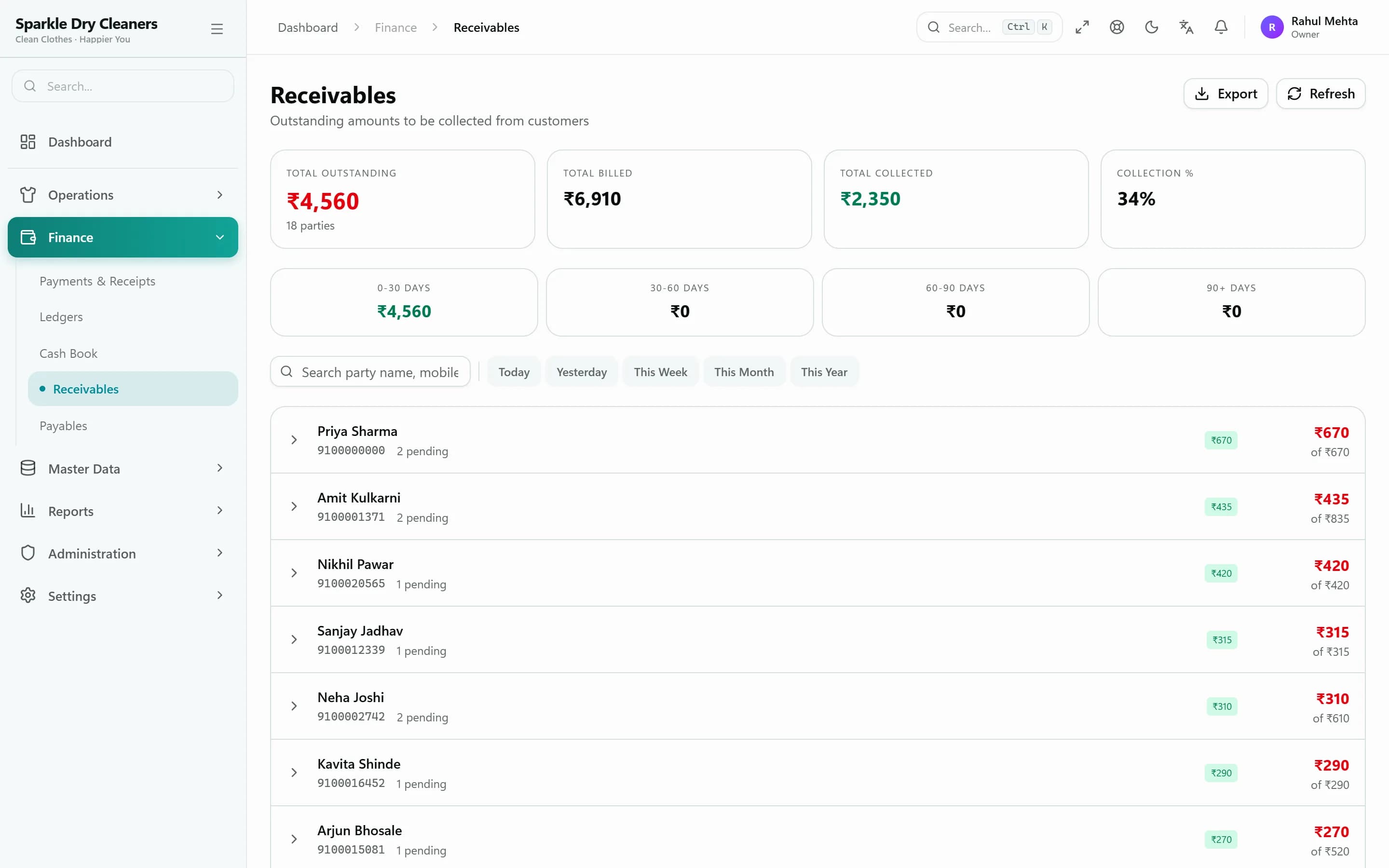
The order is the bill. Advances, part-payments, discounts and refunds are recorded as receipts, and anything unpaid shows up in receivables, the customer ledger and the cash book — with a WhatsApp reminder one tap away.
- Bill generated automatically or manually — your choice
- Cash, UPI, card, bank transfer and cheque receipts
- Receivables with WhatsApp payment reminders
- Party ledger, cash book and daily receipt summary
Dashboard & reports
See the whole business at a glance
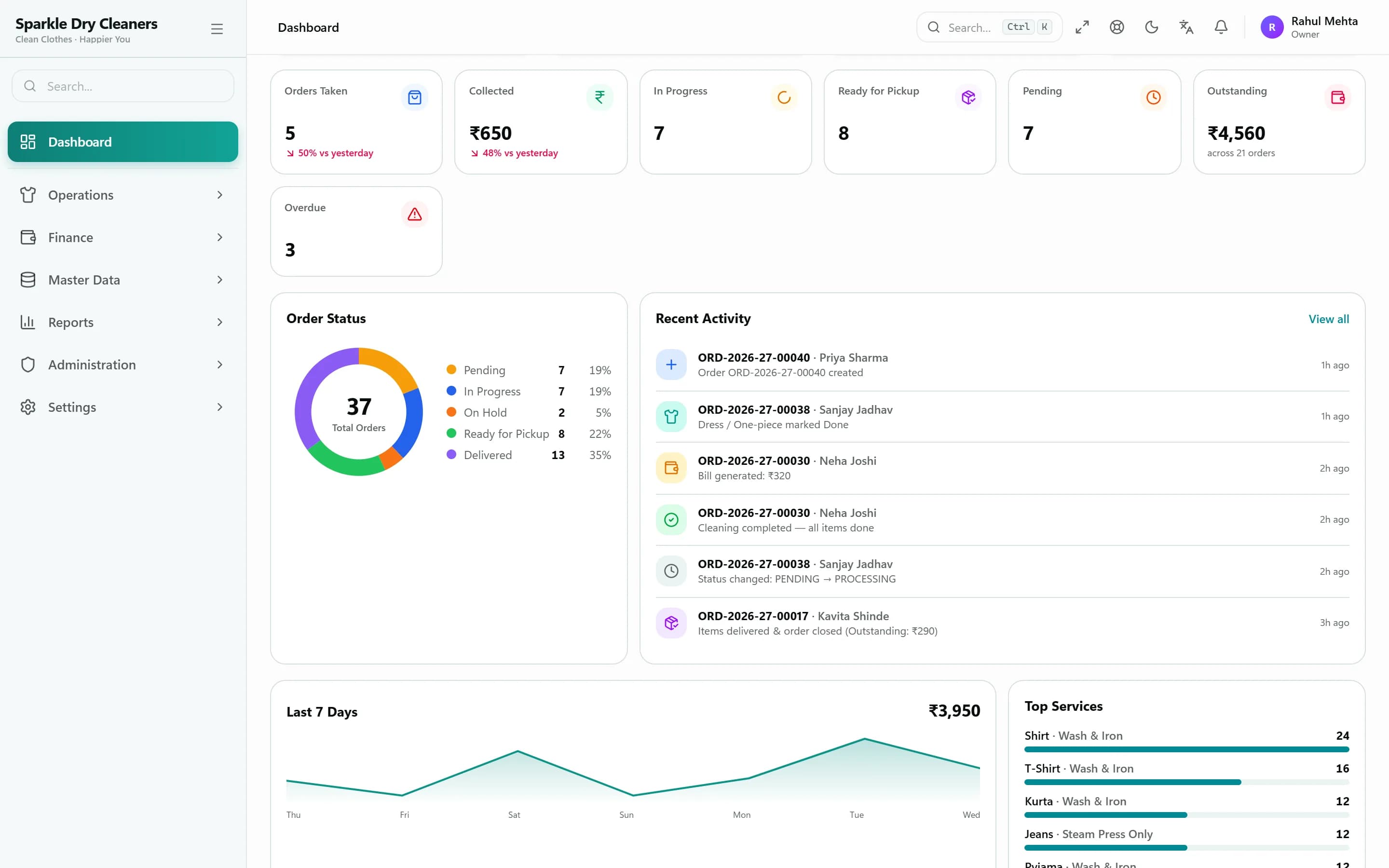
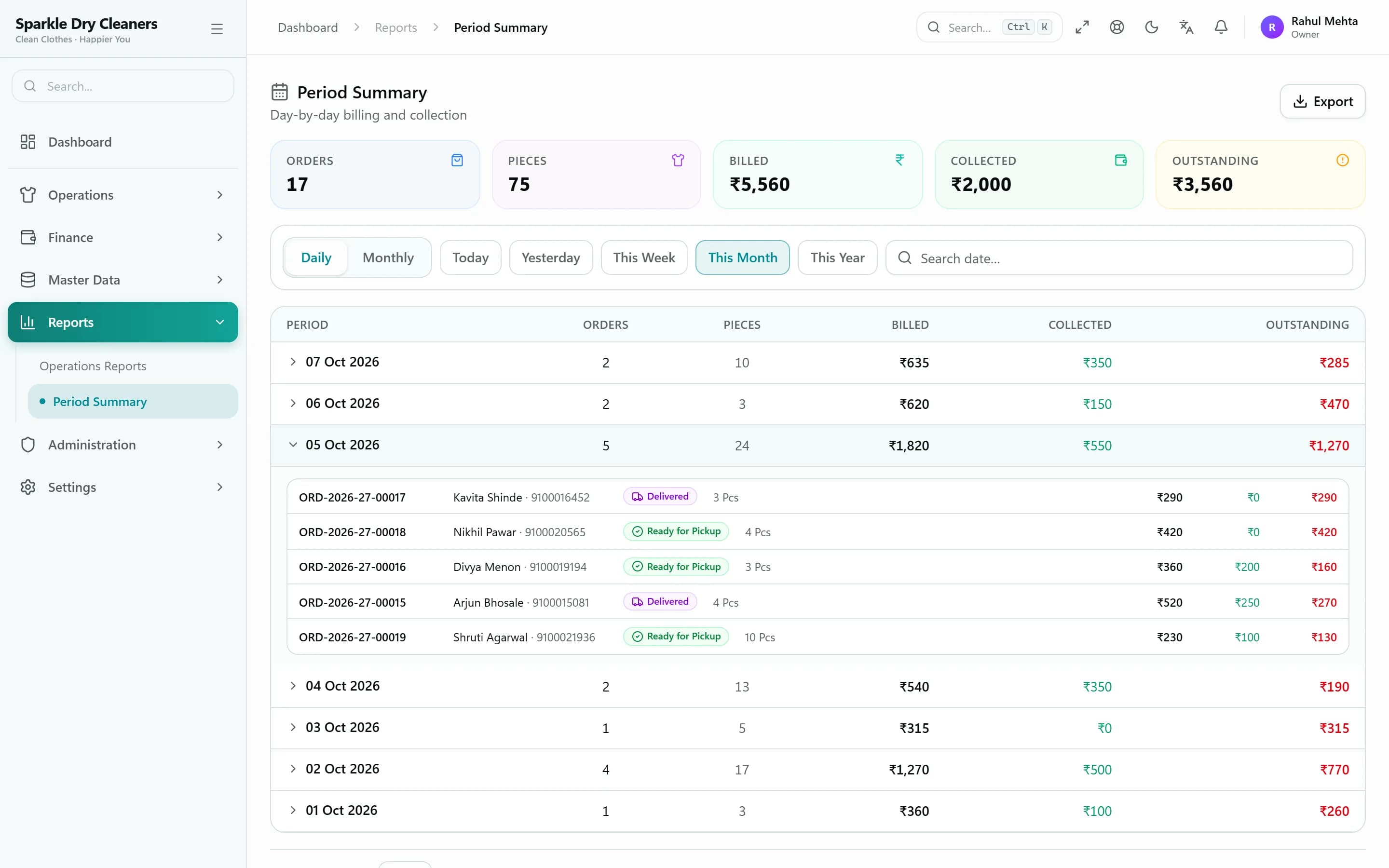
Open the dashboard to see today's orders and collections, how many orders sit at each stage, the last seven days, top services and overdue work. Period and operations reports go deeper, and export to Excel.
- Today vs yesterday, orders by stage, 7-day trend
- Overdue orders and a live activity feed
- Period summary: orders, pieces, billed, collected, outstanding
- Operations report with order history and Excel export
Multi-branch & enterprise
Built for growing laundry businesses
Add a second counter, a new branch or more staff without changing systems — the same ERP runs one shop or several branches.
Multiple branches
Each branch has its own order numbers, contact details and WhatsApp sender. Switch between branches from one login.
Role-based access
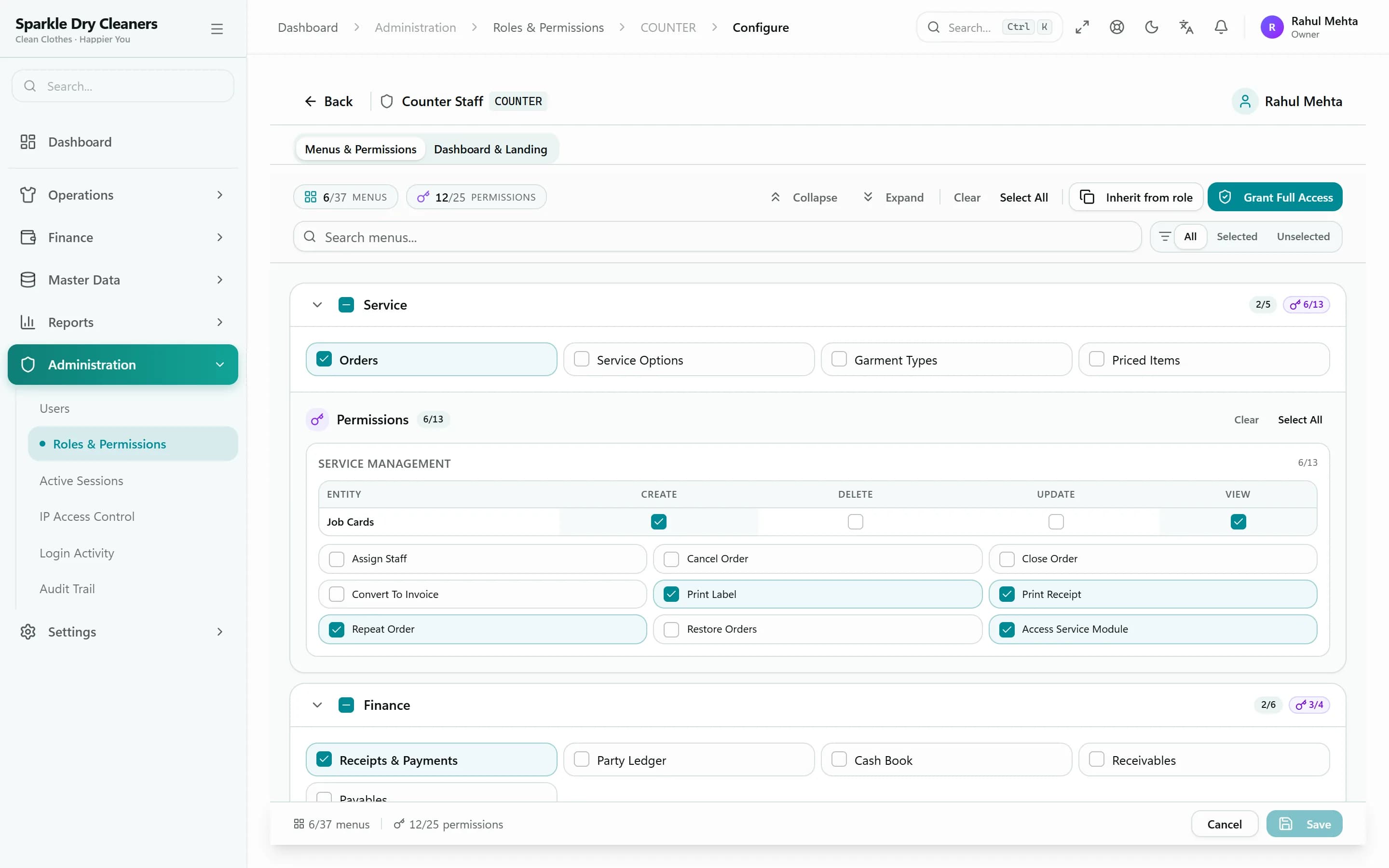
Owner, Manager, Counter Staff, Cleaner/Presser and Accountant roles — or your own — each with its own menus and permissions.
Workflow you control
Decide which actions each role can take, which order stages they see, whether prices are shown and how long they can undo.
Access you can audit
Restrict users to IP addresses, see active sessions, sign devices out, and review the login report and audit trail.
Who it's for
Made for every kind of garment care business
Independent dry cleaner
One counter, a few staff, hundreds of garments a week. Take orders fast, tag every piece and stop chasing balances.
Laundry & wash-and-iron shop
Price by piece or by KG, handle bulk bundles and express orders, and tell customers the moment their laundry is ready.
Garment care specialist
Saree polishing, wedding wear and suits need care. Record condition and photos at intake and price each service separately.
Multi-branch laundry business
Run every branch from one login with branch-wise numbering, staff limited to their branch and the owner seeing everything.
Business outcomes
What changes when your shop runs on KIWIKIT
Reduce manual work
Rates fill themselves from your rate card, bills generate when work is done and messages go out on their own.
Reduce errors
Every garment has a tag, every payment a receipt, and every change a record in the order timeline.
Improve customer experience
Customers get updates on WhatsApp and can check status and balance from a link — no phone calls needed.
Increase visibility
See today's orders, collections, overdue work and outstanding balances the moment you open the dashboard.
Scale confidently
Add staff, roles and branches as you grow, with the same processes running everywhere.
English · हिंदी · मराठी
Your staff can work in the language they think in
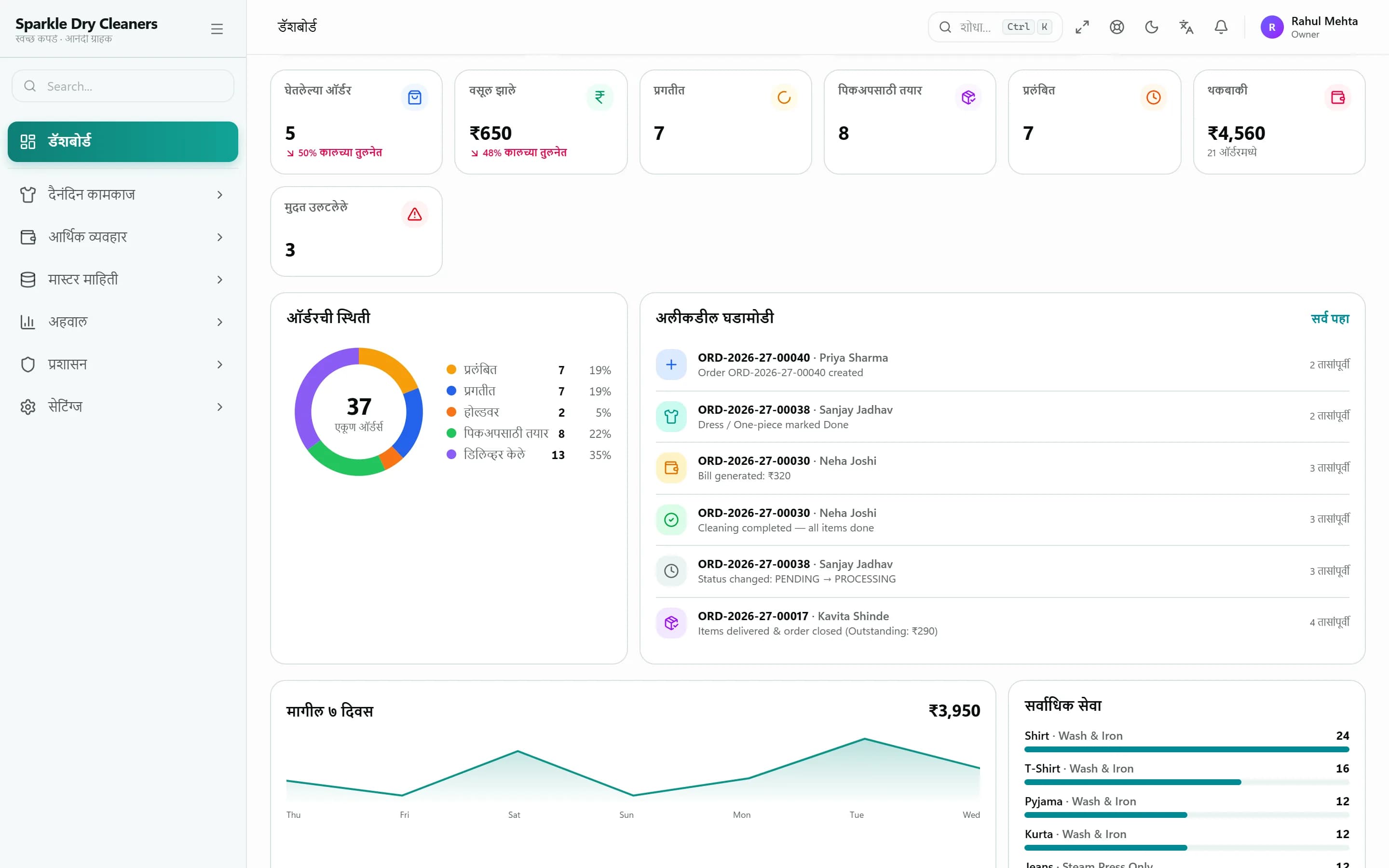
The entire KIWIKIT interface is available in English, Hindi and Marathi. Each user picks their own language, and bills can print in Marathi.
- Full interface in three languages
- Each user chooses their language
- Marathi A4 and A5 bill templates
- Same data, whichever language is on screen
Security & data
Your business data, protected and backed up
Customer lists, prices and payment records are the heart of your business. KIWIKIT keeps them separate, controlled and recoverable.
Separate database per shop
Your business data lives in its own database and never mixes with another shop's.
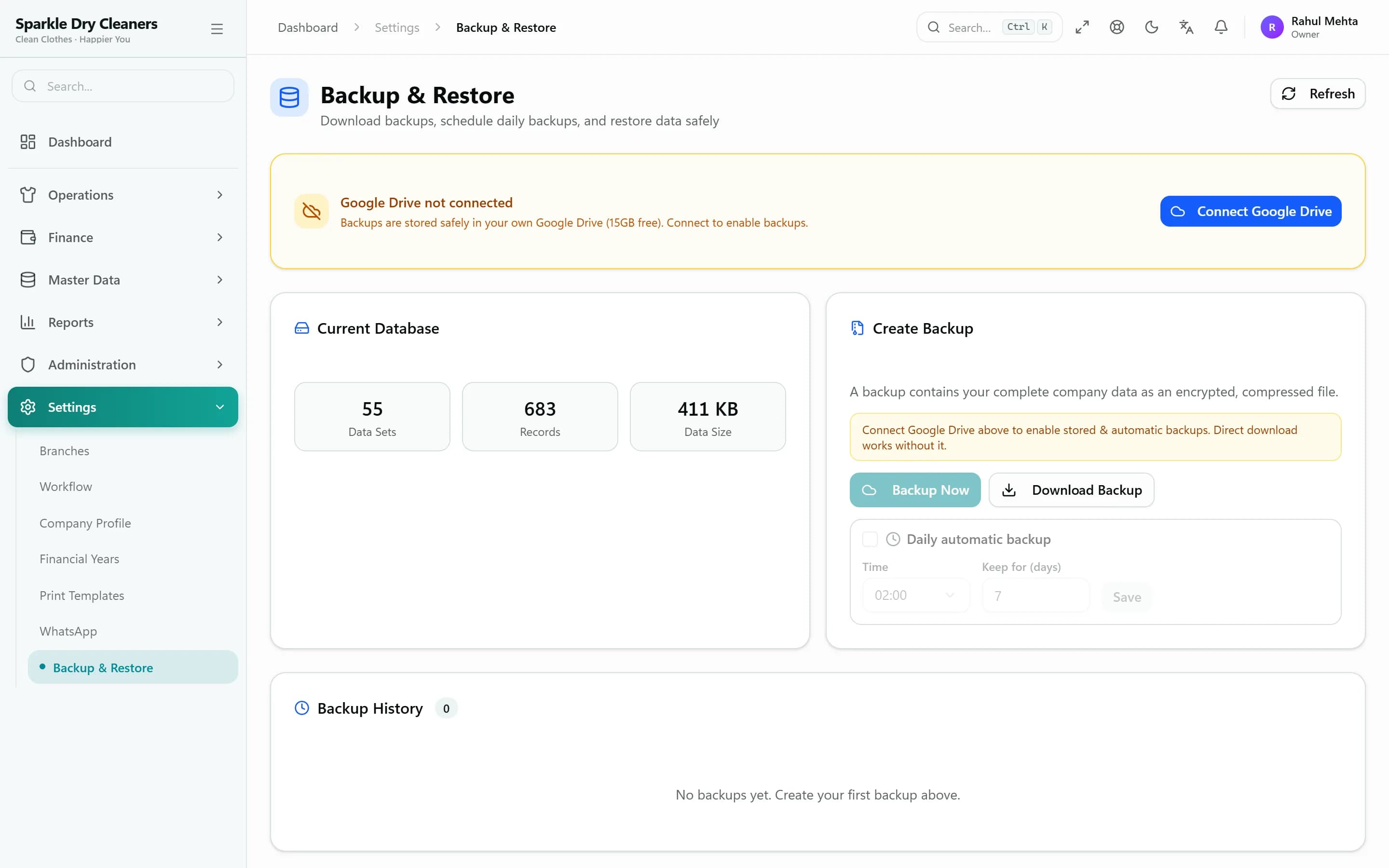
Daily encrypted backups
Automatic daily backups encrypted with AES-256-GCM, kept in your own Google Drive or on the server.
Roles & permissions
Each role sees only the menus, stages and prices you allow.
IP restrictions
Limit staff logins to your shop's network or approved IP addresses.
Sessions, logins & audit
See active sessions, sign devices out remotely, and review the login report and audit trail.
Secure subscription payments
Plans are paid through Cashfree and activated only after the payment is verified on our server.
Pricing
Simple pricing. Every feature in every plan.
Try everything free for 3 days, then pay quarterly or yearly. No setup fee, no per-order charges.
Free Trial
₹0for 3 days
Every feature, no payment details
- Full paid-plan features
- Your own shop URL and database
- Ready-made rate card to edit
- Choose a plan when you're ready
Quarterly
₹1,499/ 3 months
Billed every 3 months
- 4 users · 1 branch
- Extra users ₹83/user/month
- All features included
- Pay securely via Cashfree
- Renew early — days carry over
Yearly
₹4,999/ year
≈ ₹417 a month · save ₹997 vs quarterly
- 4 users · 1 branch
- Extra users ₹83/user/month
- All features included
- Pay securely via Cashfree
- Renew early — days carry over
Enterprise
Custom
For chains and larger teams
- Several branches & larger teams
- Guided setup across branches
- Help with rate cards & print templates
- Quote based on how you work
FAQ
Questions dry cleaners ask us
Straight answers about how KIWIKIT works.
What is dry cleaning management software?
Dry cleaning management software replaces the notebook, paper slips and spreadsheets at a dry cleaning or laundry counter. It records each order and the garments in it, tracks every garment through cleaning, produces the bill and receipts, keeps customer balances and tells customers when their clothes are ready. KIWIKIT Dry Cleaners ERP does all of this in one browser-based system.
How can a dry cleaner track customer orders?
Every order gets an order number and every garment gets its own QR tag. Staff scan a garment's QR to move it to the next stage. The order moves from Received to In Cleaning to Ready for Pickup to Delivered, and you can put an order on hold with a reason. The order list shows every stage, overdue orders and the expected delivery date.
Can customers track their order status themselves?
Yes. Each order has a private tracking link that shows its status, the bill amount, how much has been paid and the balance. The link can be sent to the customer on WhatsApp automatically.
Is there a free trial?
Yes — 3 days with every feature of the paid plan and no payment details needed. When the trial ends your shop is locked until you choose a plan.
How many users and branches are included?
Every plan includes 4 staff users and 1 branch. Add extra users anytime at ₹83 per user per month. Running several branches or a bigger team? Tell us how you work and we'll quote it. There are no limits on orders, customers or garment history.
Can one ERP manage multiple laundry branches?
Yes. KIWIKIT runs multiple branches under one business — plans include one branch, and more are added when you open them. Each branch has its own order numbering, contact details and WhatsApp sender; orders and receipts are kept per branch; customers are shared across branches; and each user can be limited to the branches they work in. Owners switch between branches from one login.
Is my business data safe?
Each shop has its own separate database, so your data never mixes with another business. Owners control what each role can see and do, can restrict users to specific IP addresses, see active sessions and sign devices out, review a login report and an audit trail, and lock staff out in an emergency.
Resources
Guides for dry cleaning owners
- OperationsHow to manage a dry cleaning business: a practical daily systemA practical daily system for a dry cleaning shop: opening checks, intake, the cleaning queue, rack numbers, handover, cash-up and a weekly review.6 min read
- Garment trackingHow to stop losing garments: tagging and tracking that worksWhy garments go missing at a dry cleaner and how to stop it: a tag on every piece, inspection at intake, counts at each handoff and proper partial pickups.5 min read
- Getting startedHow to move your dry cleaning shop from notebook to softwareA step-by-step plan to move a dry cleaning shop from notebook to software: rate card, staff roles, training, a parallel run, printers and the first week.5 min read
See KIWIKIT running your counter
Start a free trial and set up your rate card today, or book a demo and we'll walk you through it with your own garments and services.