Features
Every part of your dry cleaning business, in one ERP
KIWIKIT connects the counter, the cleaning floor, billing, customer messages, staff access and reporting — so an order entered once drives everything that follows.
Operations
Orders & garment tracking
Run the counter and the cleaning floor from one live order list — from intake to handover.
Counter & orders
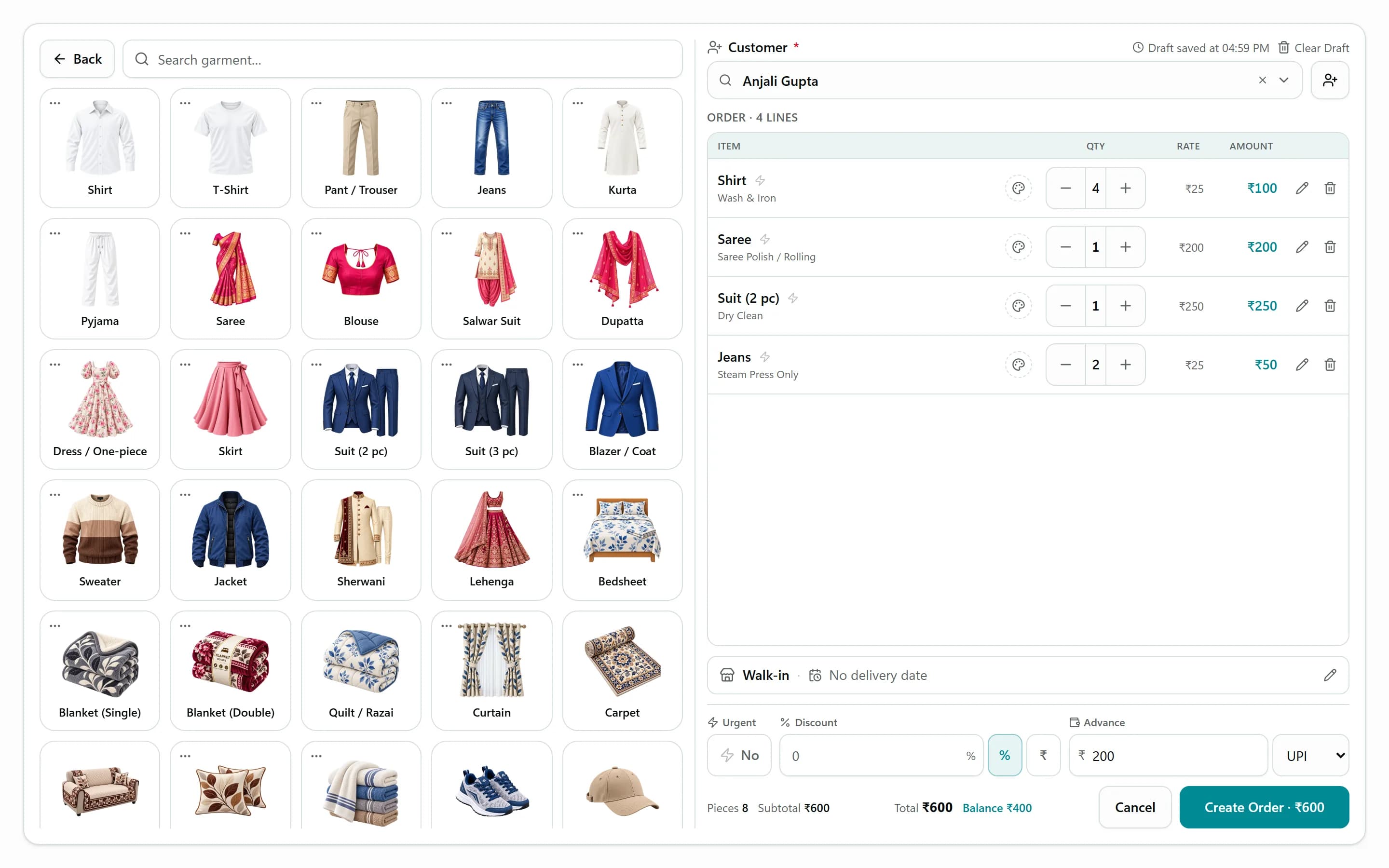
Take an order in seconds, not minutes
Counter staff tap a garment and a service, and the rate comes from your rate card. Normal and urgent rates, pricing by piece or by KG, express orders, the expected delivery date and an advance are all captured on one screen.
- Tap-to-add grid built from your own garments and services
- Normal and urgent rates, by piece or by weight
- Express flag, delivery date and time, rack number
- Advance payment recorded with a receipt on the spot
Garment tracking
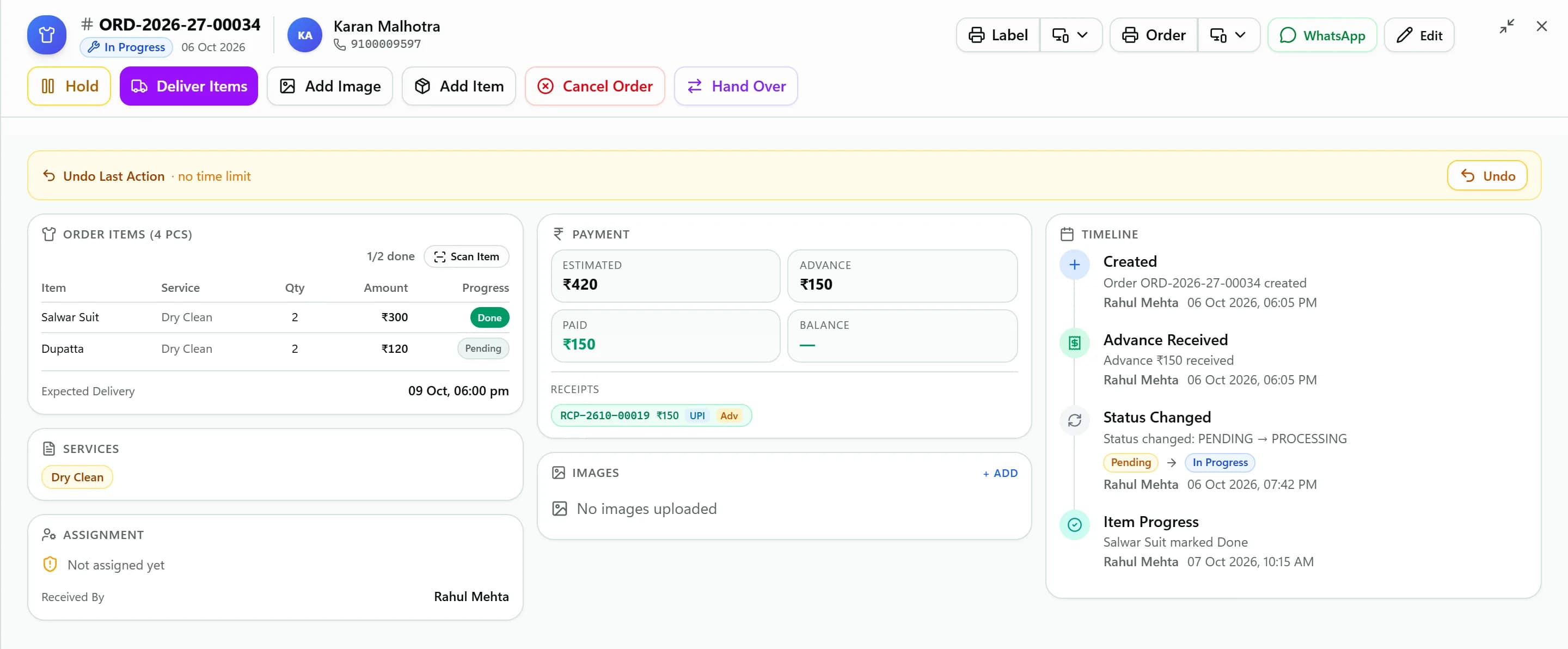
Know where every single garment is
Every garment gets its own QR tag. Staff scan it with a phone camera to move that piece to the next stage, and when the last garment is done the order becomes Ready for Pickup with its bill generated.
- One QR tag per garment, plus an order barcode
- Scan with any phone camera to update a garment
- Inspection tags, condition notes and up to 4 photos per order
- Hand over finished garments before the rest are ready
Live order list
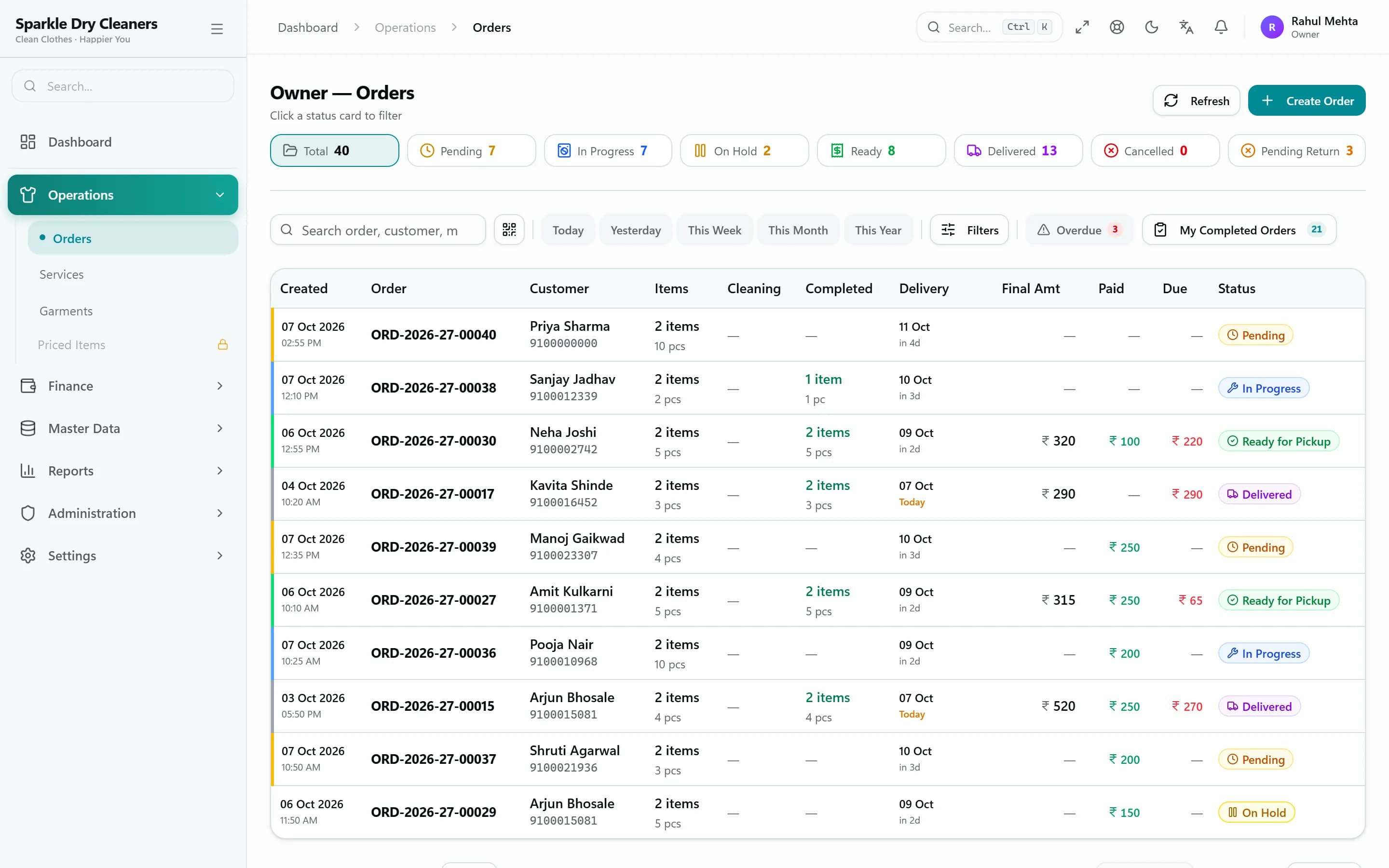
One list for the counter, the floor and the owner
Status tabs show what's received, in cleaning, on hold, ready and delivered. Overdue orders stand out, delivery dates are visible at a glance, and changes appear on every device as they happen.
- Status tabs with counts and an overdue filter
- Scan an order's QR to open it instantly
- Live updates across counters and devices
- Hold with a reason, resume, cancel with a refund receipt
On any device
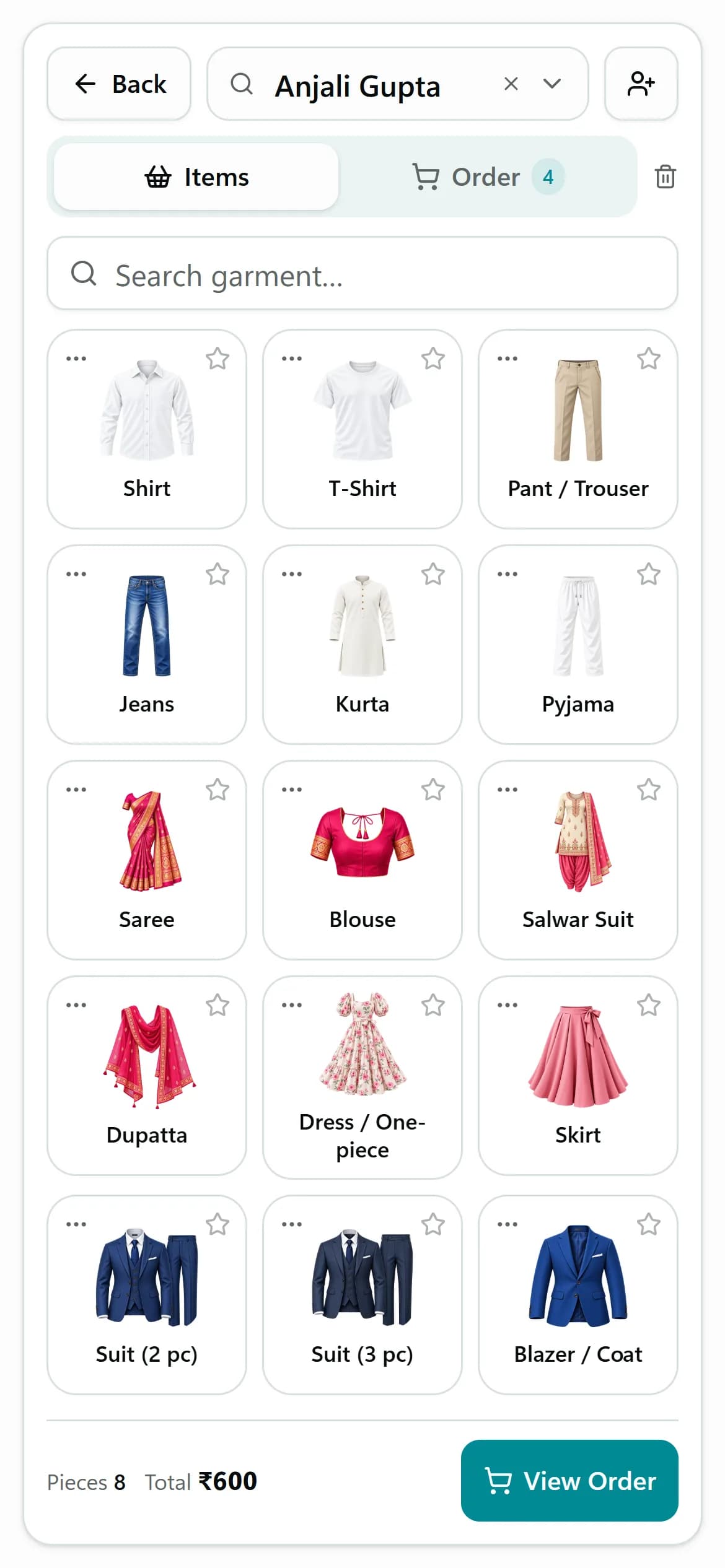
Take orders on a phone or tablet too
KIWIKIT runs in the browser, and the counter screen adapts to a phone. Staff can tap garment photos, take pictures of garments with the camera and scan QR tags — with changes appearing on every other device straight away.
- Phone layout with an Items / Order switch
- Garment photos as tap tiles
- Camera photos and QR scanning
- Live sync across devices
Customers
Customers & communication
Keep every customer's history, balance and contact in one place — and keep them informed without lifting the phone.
Customer updates
Customers stop calling to ask “is it ready?”
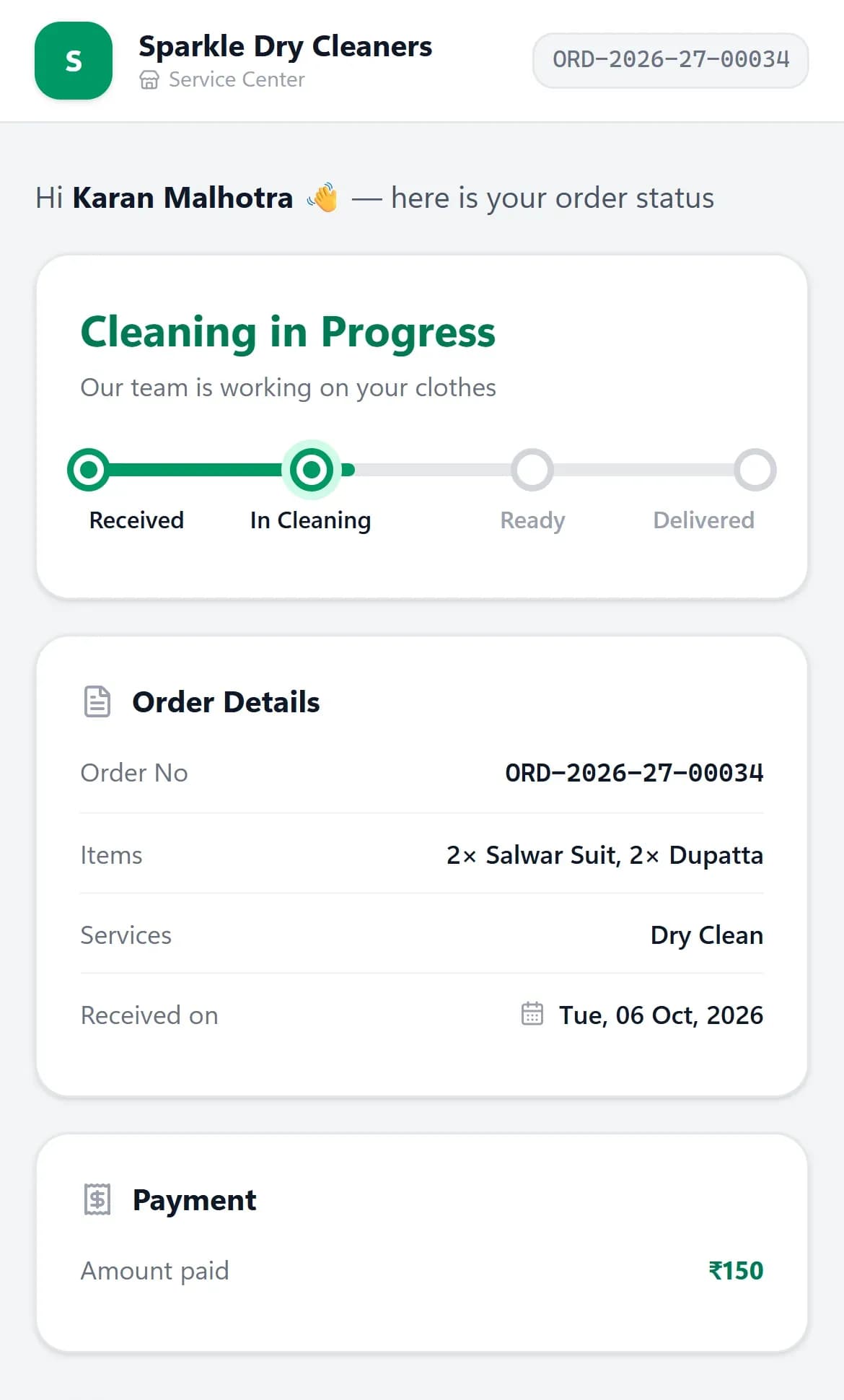
KIWIKIT sends WhatsApp messages as the order moves — received with a PDF receipt, in cleaning, on hold, ready, handed over — and each order has a private tracking link showing its status, amount paid and balance.
- Automatic WhatsApp at every stage, with editable templates
- PDF receipt sent when the order is taken
- Private tracking link with status and balance due
- Each branch can send from its own WhatsApp number
Customer records
Every customer, order and payment in one profile
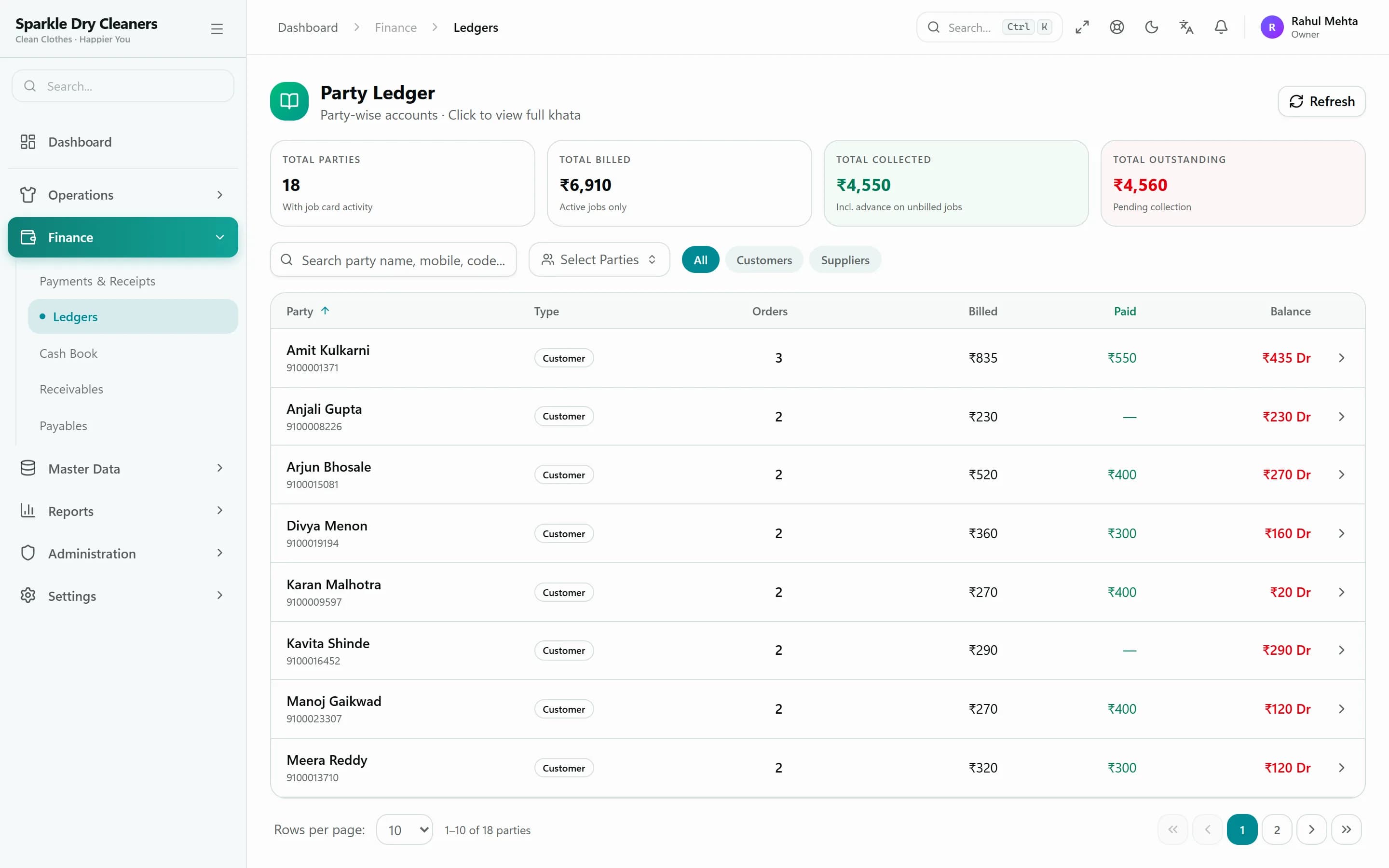
Create a customer straight from the order screen. Duplicate mobile numbers are caught, and each customer has an order history, a ledger and an outstanding balance kept in sync with their receipts.
- Quick-add from the counter, duplicate mobiles detected
- Order history, ledger and outstanding balance
- Credit limit, credit days and customer groups
- GST number and address on the customer record
Billing & payments
Billing, receipts & printing
Bills that build themselves from your rate card, payments that reconcile themselves, and prints that look the way you want.
Billing & payments
Every rupee accounted for
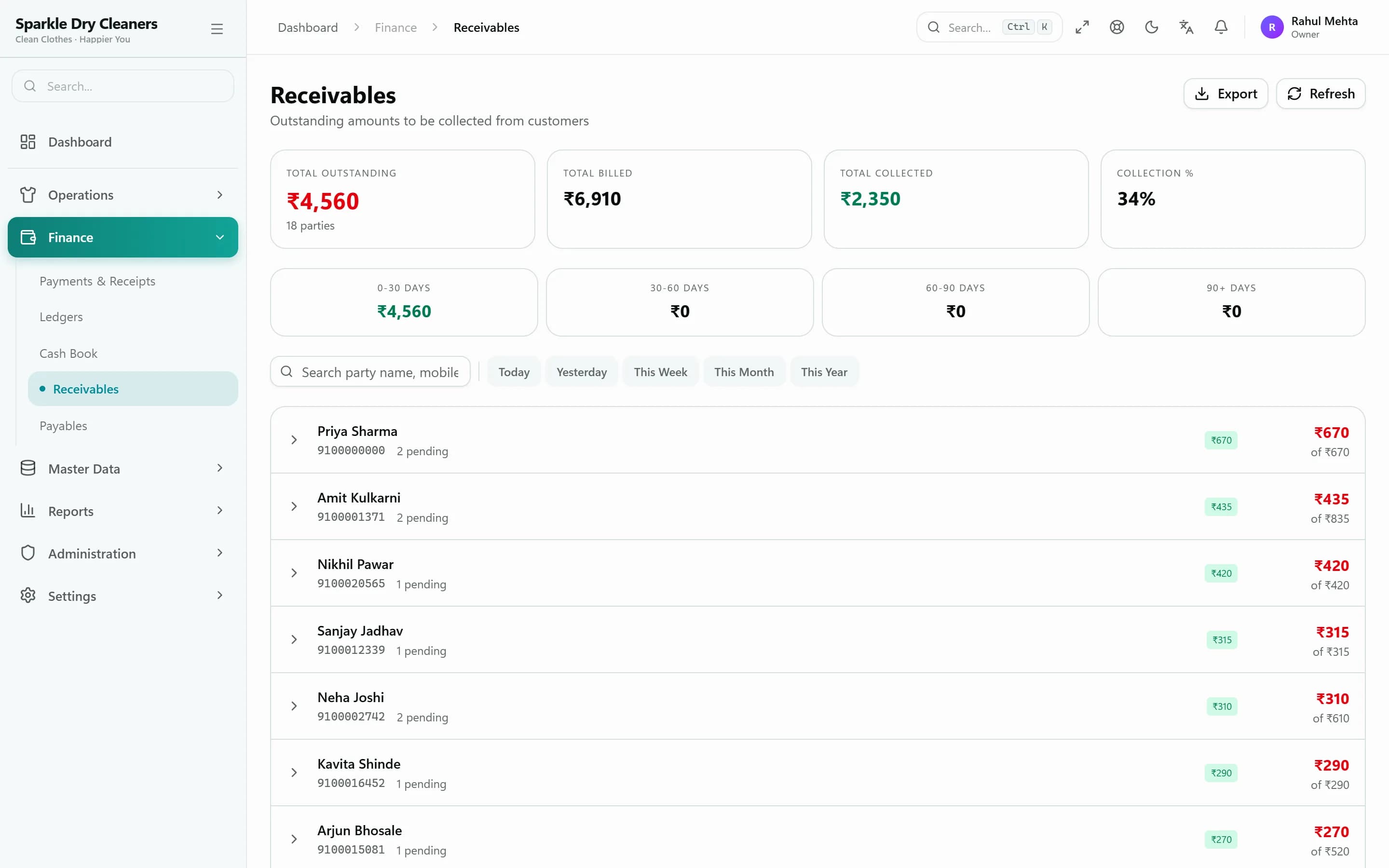
The order is the bill. Advances, part-payments, discounts and refunds are recorded as receipts, and anything unpaid shows up in receivables, the customer ledger and the cash book — with a WhatsApp reminder one tap away.
- Bill generated automatically or manually — your choice
- Cash, UPI, card, bank transfer and cheque receipts
- Receivables with WhatsApp payment reminders
- Party ledger, cash book and daily receipt summary
Printing
Thermal receipts, A4 bills and garment tags — your layout
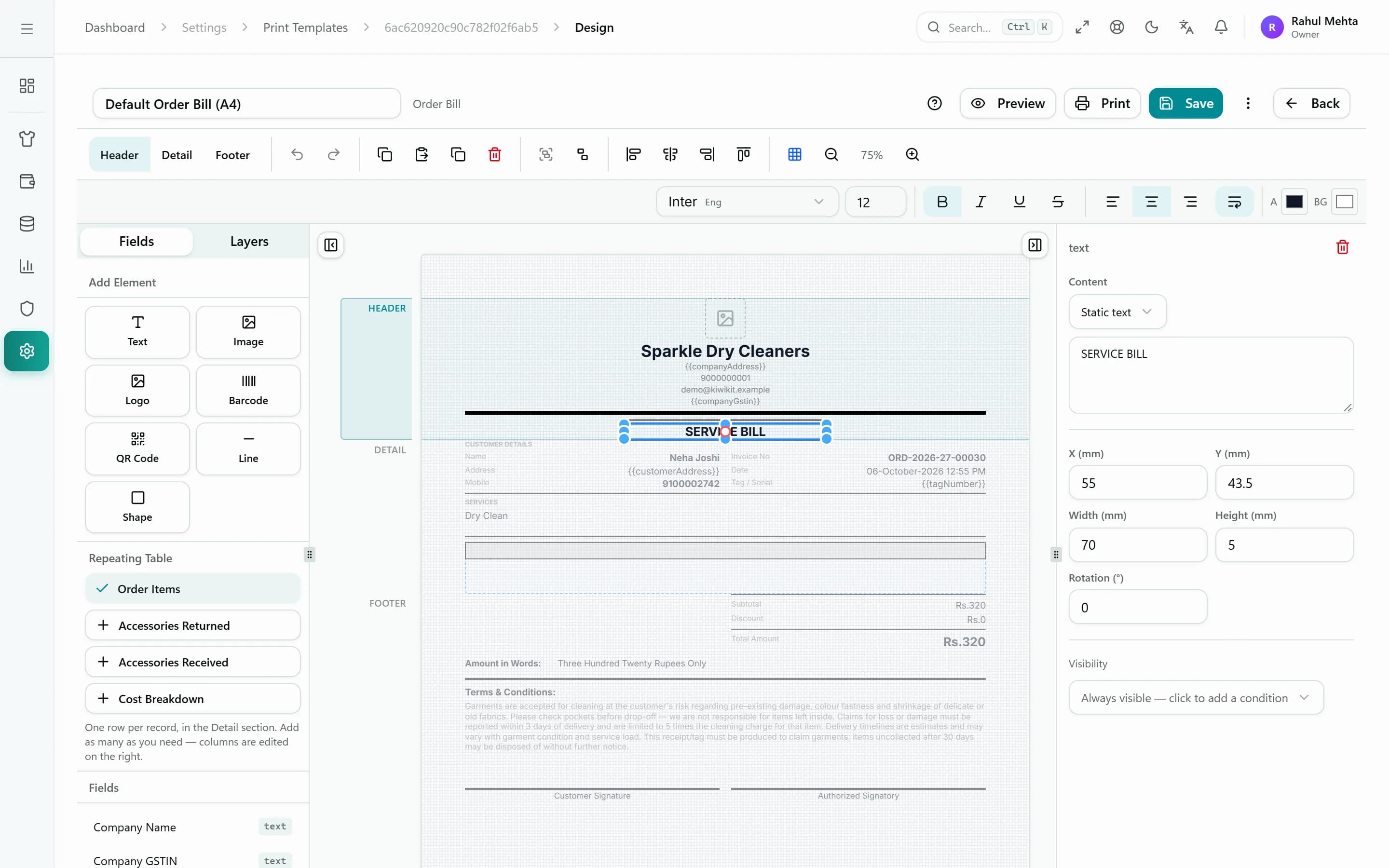
Print 58 mm and 80 mm thermal receipts, A4 and A5 bills (including Marathi templates) and garment tags. A drag-and-drop designer with version history lets you change any template.
- 58/80 mm thermal, A4 and A5 formats
- Garment tags with a QR code per piece
- Visual template designer with version history
- Print from the browser, over USB/Bluetooth, or via the Windows print agent
Reports
Dashboard & reports
The numbers that matter, without adding up slips at closing time.
Dashboard & reports
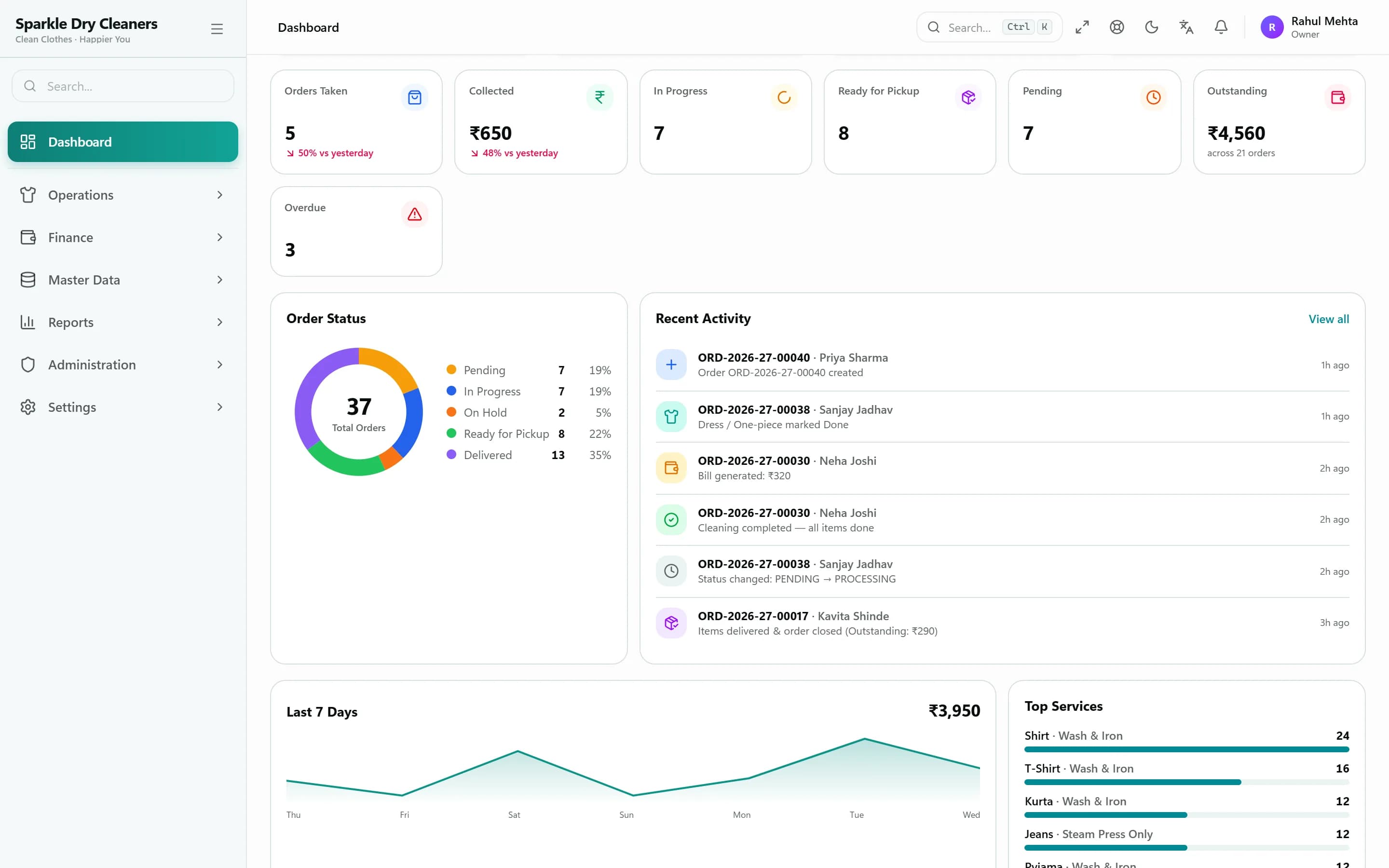
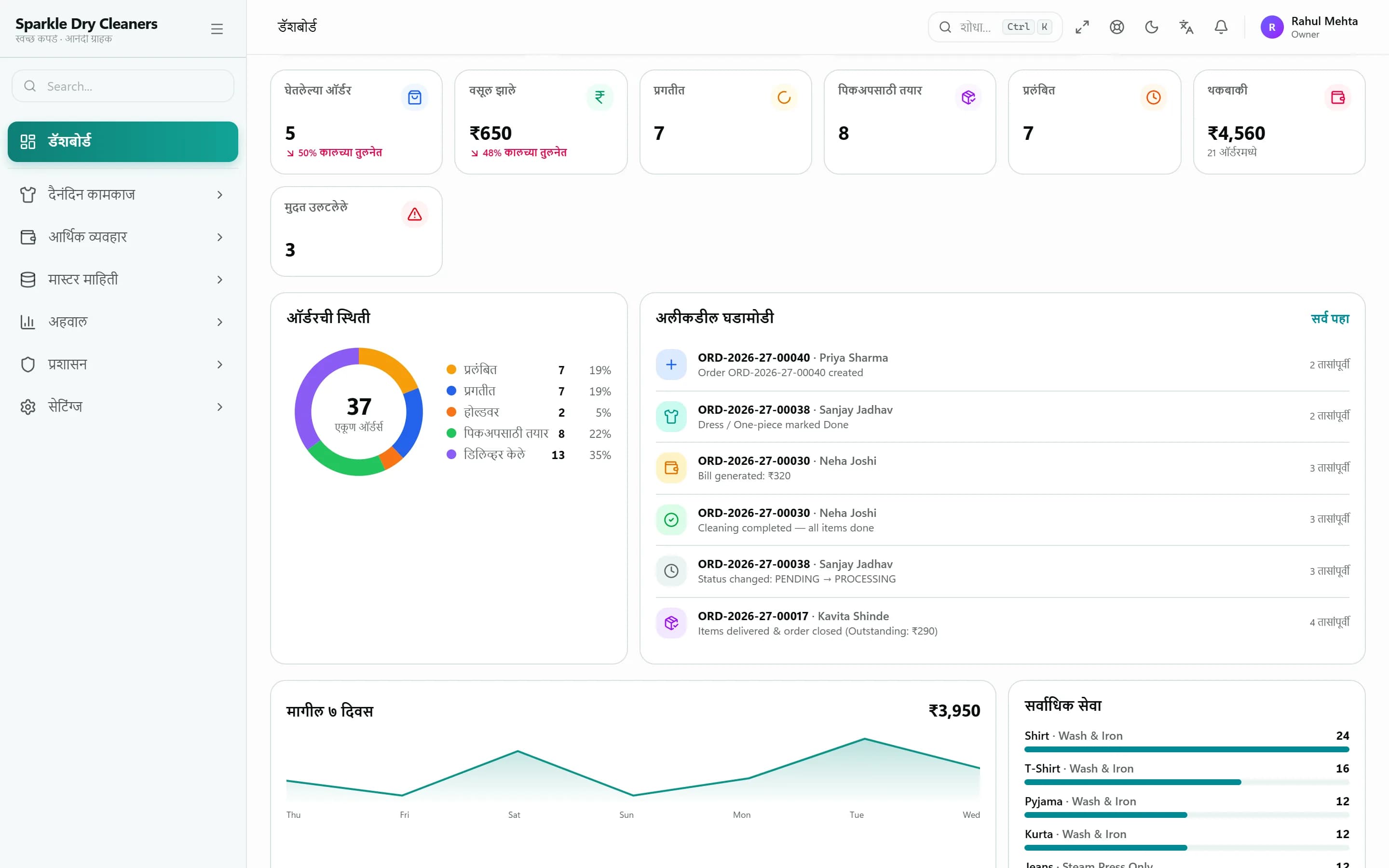
A dashboard that opens on today
Open the dashboard to see today's orders and collections, how many orders sit at each stage, the last seven days, top services and overdue work. Period and operations reports go deeper, and export to Excel.
- Today vs yesterday, orders by stage, 7-day trend
- Overdue orders and a live activity feed
- Period summary: orders, pieces, billed, collected, outstanding
- Operations report with order history and Excel export
Reports
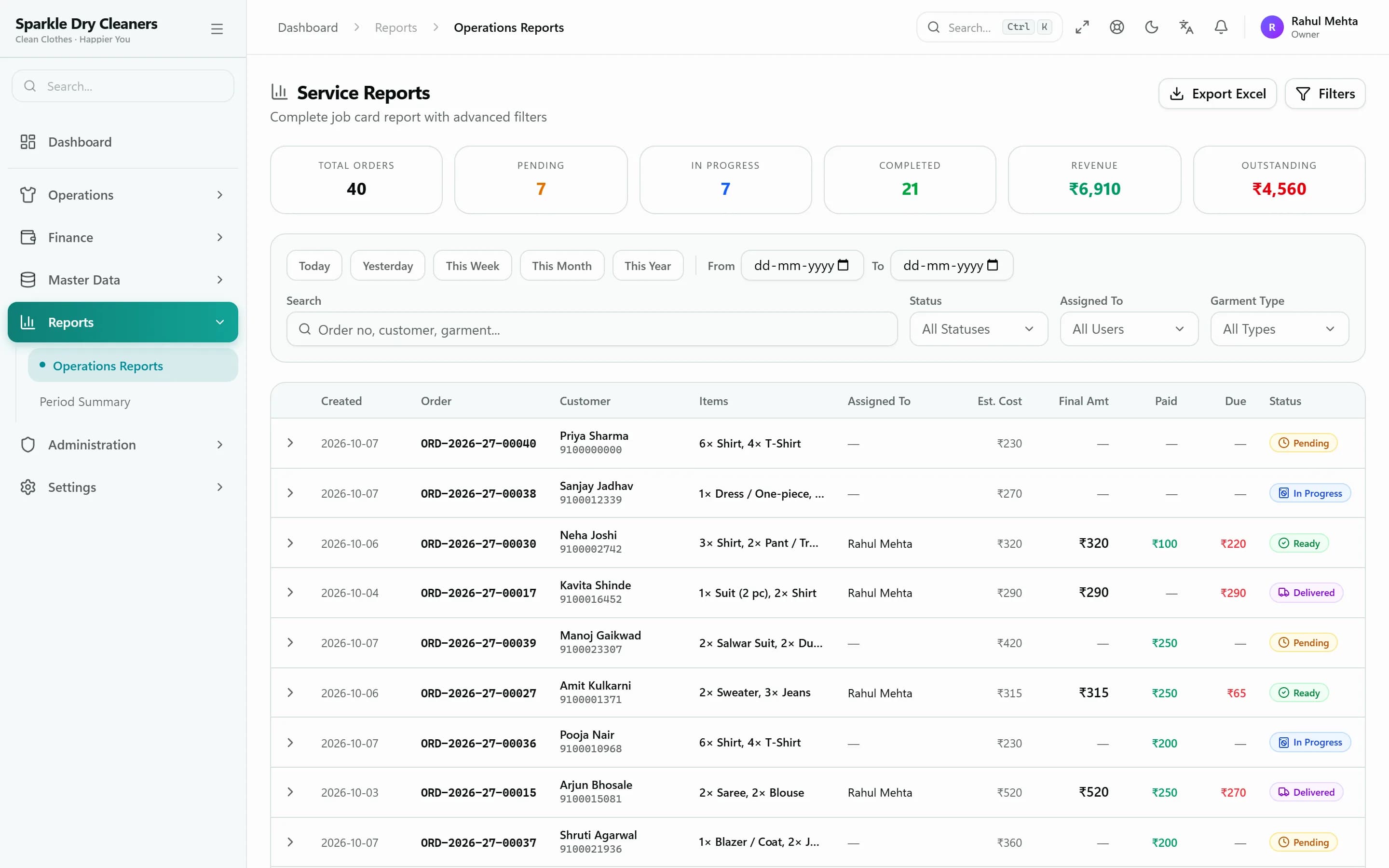
Period and operations reports, ready for Excel
The period summary shows orders, pieces, billed, collected, outstanding and average order value by day or month. The operations report filters orders and shows every step of their history.
- Daily or monthly period summary
- Operations report with step-by-step order history
- Receivables, payables, party ledger and cash book
- Excel export on most reports
Staff & branches
Staff, roles, workflow & branches
Give every person exactly the access they need, and run as many branches as you have.
Roles & permissions
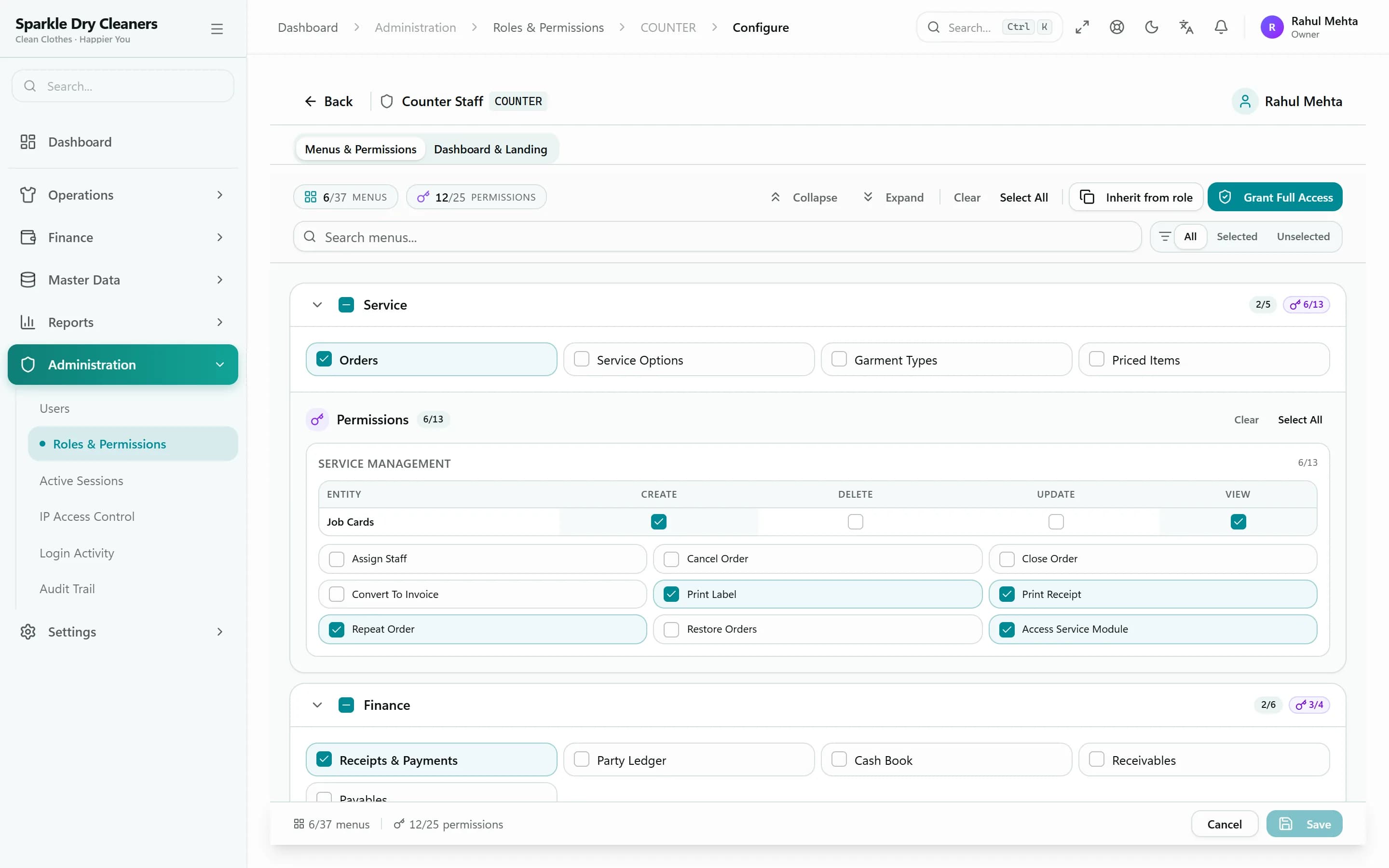
Give every role exactly the access it needs
Start from Owner, Manager, Counter Staff, Cleaner/Presser and Accountant, or create your own roles. Each role gets its own menus and permissions, and user seats are managed from one screen.
- Five ready-made roles, plus custom roles
- Menu and permission settings per role
- Owner can sign in as another user to check their view
- Emergency lock to shut staff out instantly
Workflow designer
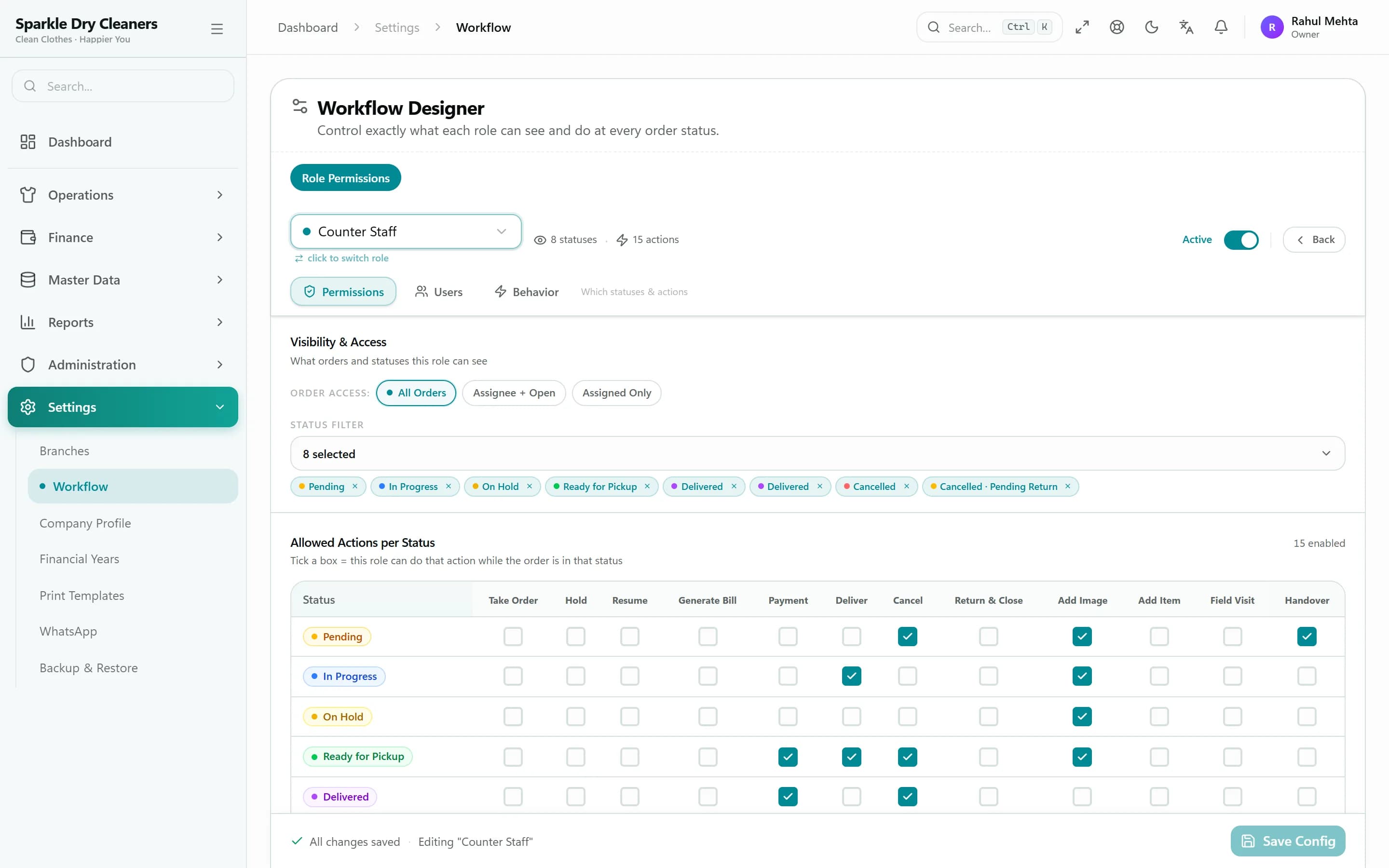
Decide how orders move in your shop
The workflow designer sets, for each role, which actions are allowed, which order stages are visible, whether prices are shown and how long an action can be undone. Billing can be automatic or manual.
- Allowed actions per role
- Visible stages and price visibility per role
- Undo window per role
- Automatic or manual billing
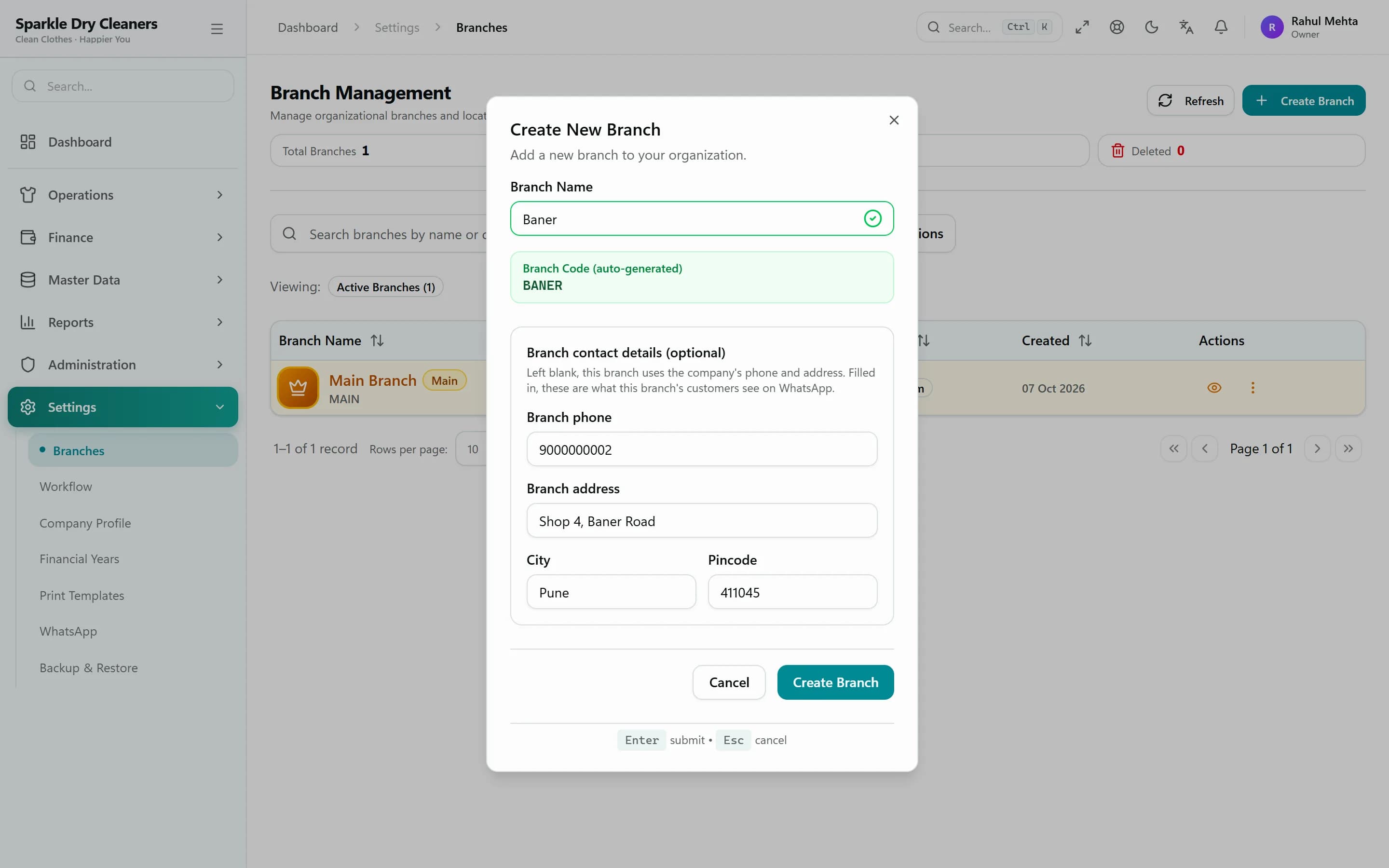
Branches
Add a branch whenever you open one
Each branch has its own order numbering, contact details and WhatsApp sender. Orders and receipts are kept per branch, customers are shared, and each user can be limited to their branches.
- Branch switcher for owners and managers
- Branch-wise order numbers and receipts
- Users limited to the branches they work in
- Branch-specific WhatsApp sender
How an order flows
From counter to customer, every step is tracked
KIWIKIT follows each order the way your shop already works — and keeps the counter, the cleaning floor and the customer on the same page.
- Step 1Received
Order taken at the counter
- Garments, services and rates from your rate card
- A QR tag printed for every garment
- Receipt sent to the customer on WhatsApp
- Step 2In Cleaning
Work moves garment by garment
- Staff scan each tag as a piece is finished
- Inspection notes and photos stay with the order
- Overdue orders stand out in the list
- Step 3Ready for Pickup
The bill is ready when the clothes are
- Bill generated when the last garment is done
- Customer told on WhatsApp with a tracking link
- Balance due shown on the link and the bill
- Step 4Delivered
Hand over and collect
- Hand over all garments, or only the finished ones
- Collect the balance by cash, UPI, card and more
- Every receipt lands in the customer's ledger
Waiting on the customer — say, for approval on a stain treatment? Put the order On Hold with a reason, and resume it when you're ready.
English · हिंदी · मराठी
Your staff can work in the language they think in
The entire KIWIKIT interface is available in English, Hindi and Marathi. Each user picks their own language, and bills can print in Marathi.
- Full interface in three languages
- Each user chooses their language
- Marathi A4 and A5 bill templates
- Same data, whichever language is on screen
Security & data
Your business data, protected and backed up
Customer lists, prices and payment records are the heart of your business. KIWIKIT keeps them separate, controlled and recoverable.
Separate database per shop
Your business data lives in its own database and never mixes with another shop's.
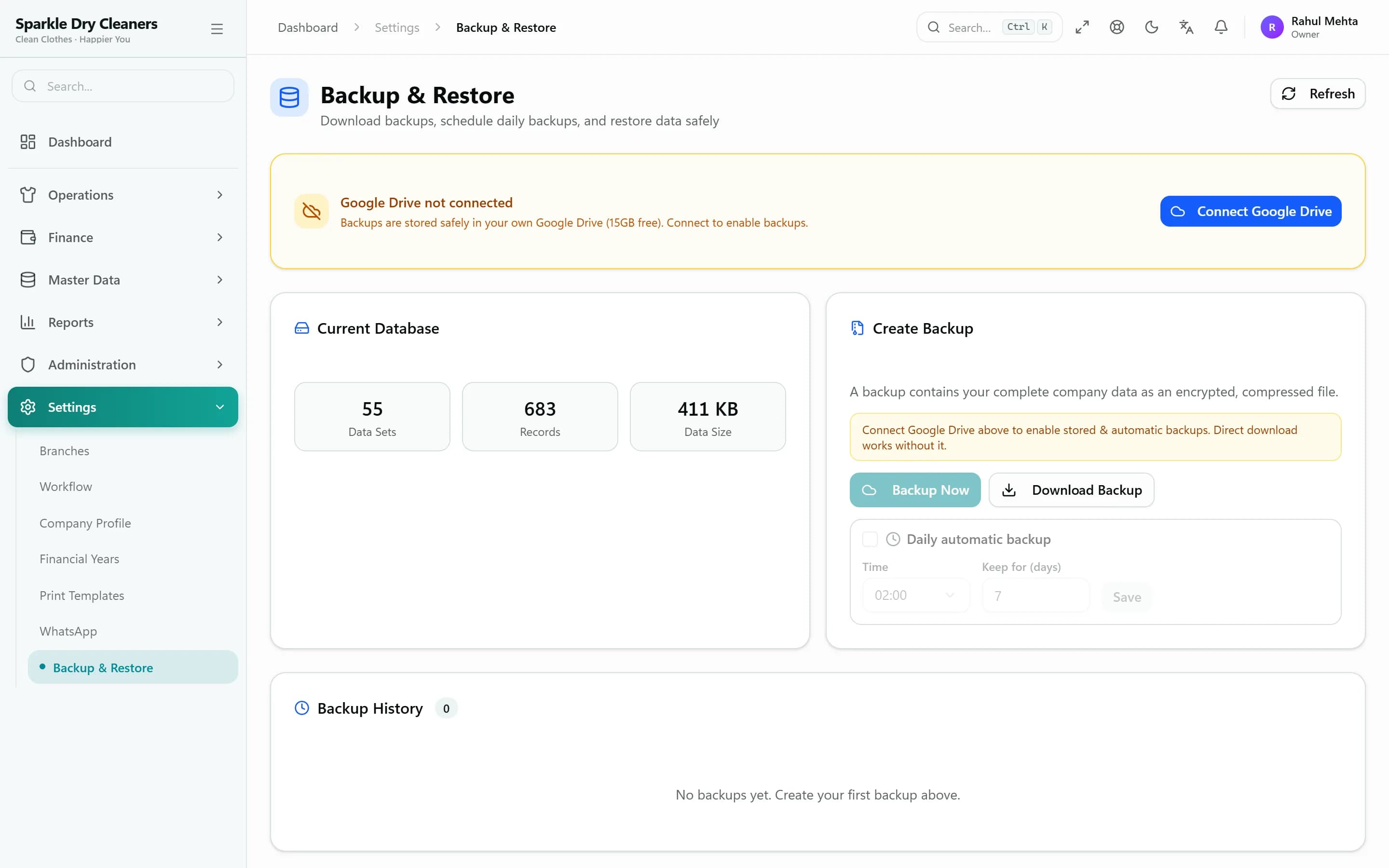
Daily encrypted backups
Automatic daily backups encrypted with AES-256-GCM, kept in your own Google Drive or on the server.
Roles & permissions
Each role sees only the menus, stages and prices you allow.
IP restrictions
Limit staff logins to your shop's network or approved IP addresses.
Sessions, logins & audit
See active sessions, sign devices out remotely, and review the login report and audit trail.
Secure subscription payments
Plans are paid through Cashfree and activated only after the payment is verified on our server.
Ready to see these features with your own garments?
Start a free trial and set up your rate card today, or book a demo and we'll walk you through it with your own garments and services.