Multi-branch laundry software
Multi-branch laundry software: every branch, one login
Open a new branch without opening a new system. In KIWIKIT each branch's orders, numbering and messages are kept separate — and the owner can switch into any of them from one login.
Can one ERP manage multiple laundry branches?
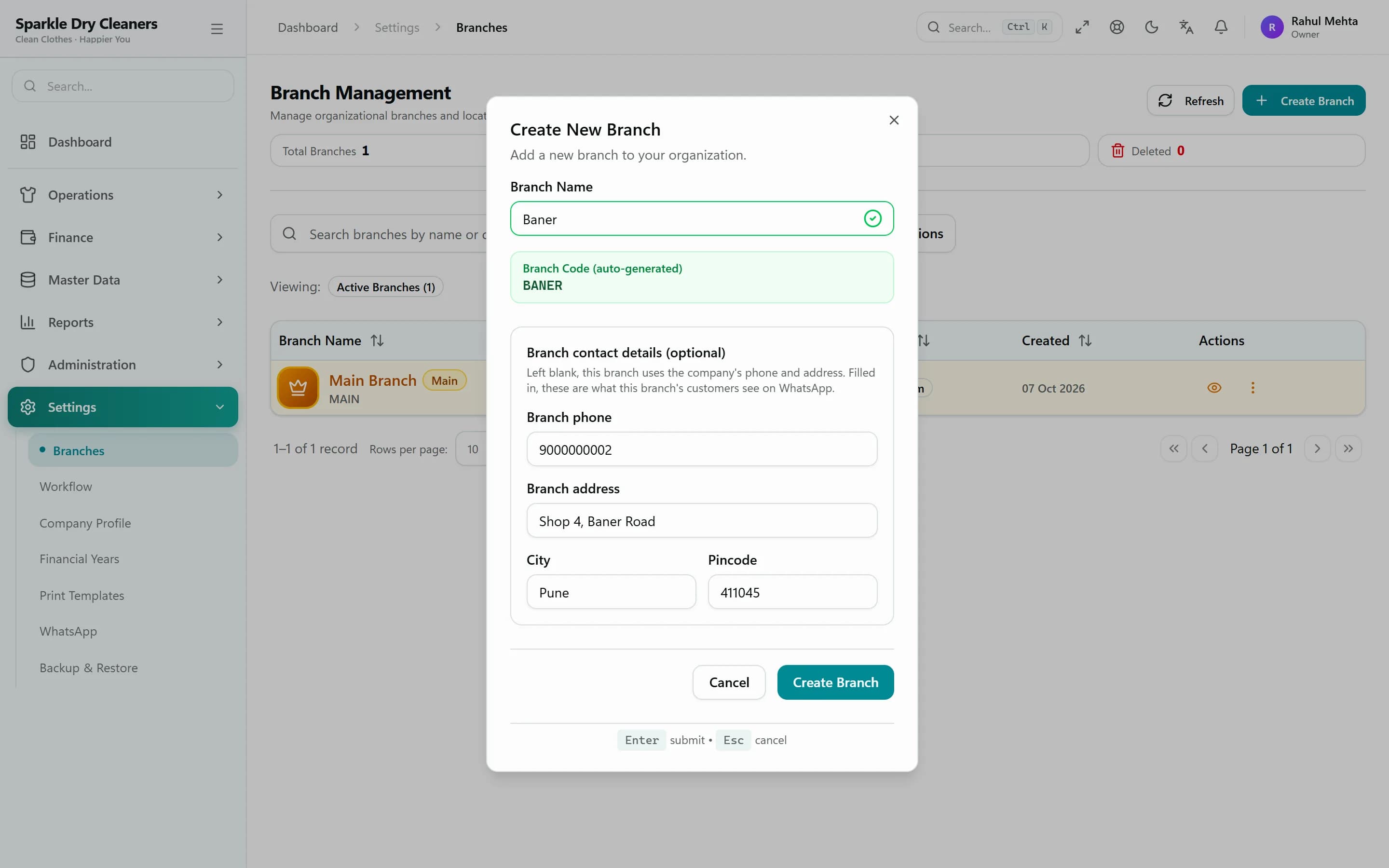
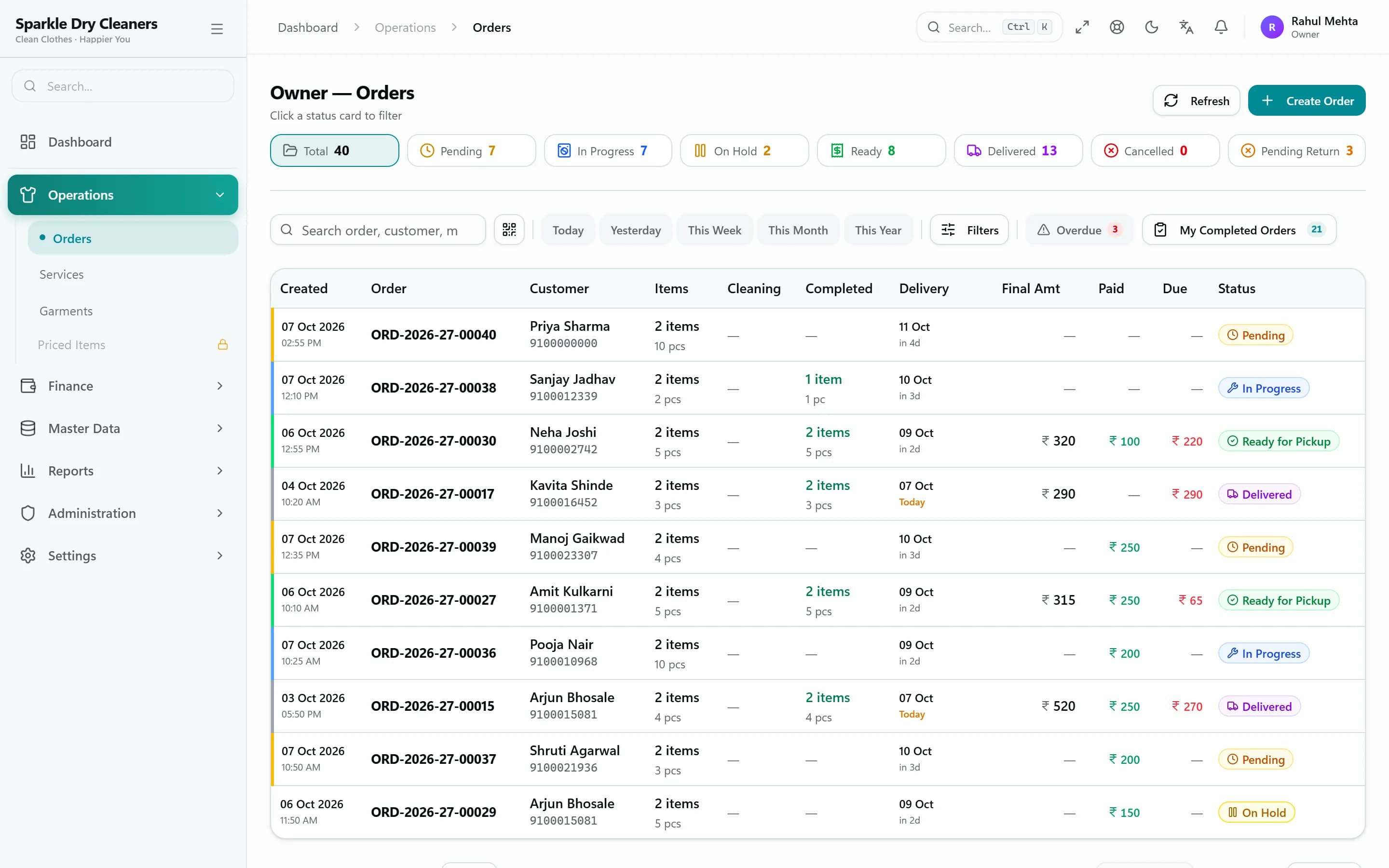
Yes. In KIWIKIT a business can add as many branches as it needs. Each branch has its own order numbering, contact details and WhatsApp sender, and orders, receipts and history are kept per branch. Customers are shared, so a regular customer is recognised at every branch.
Owners and managers switch between branches from one login, while counter staff and cleaners can be limited to the branches they work in. Roles, the workflow designer and IP restrictions keep each person's access exactly where it should be.
Who it's for
Two to three branches
Keep each counter's work separate while the owner sees every branch.
Growing chains
Add branches and staff without changing systems or retraining anyone.
Central owners, local managers
Managers run their branch; owners keep control of prices, roles and data.
Branches
Each branch runs on its own numbers
Branch-wise order numbers, contact details on bills and a WhatsApp sender per branch mean customers always hear from the branch they visited.
- Add branches as you open them
- Branch-wise order numbering
- Branch contact details and WhatsApp sender
- Customers shared across branches
Access control
Staff see their branch. Owners see everything.
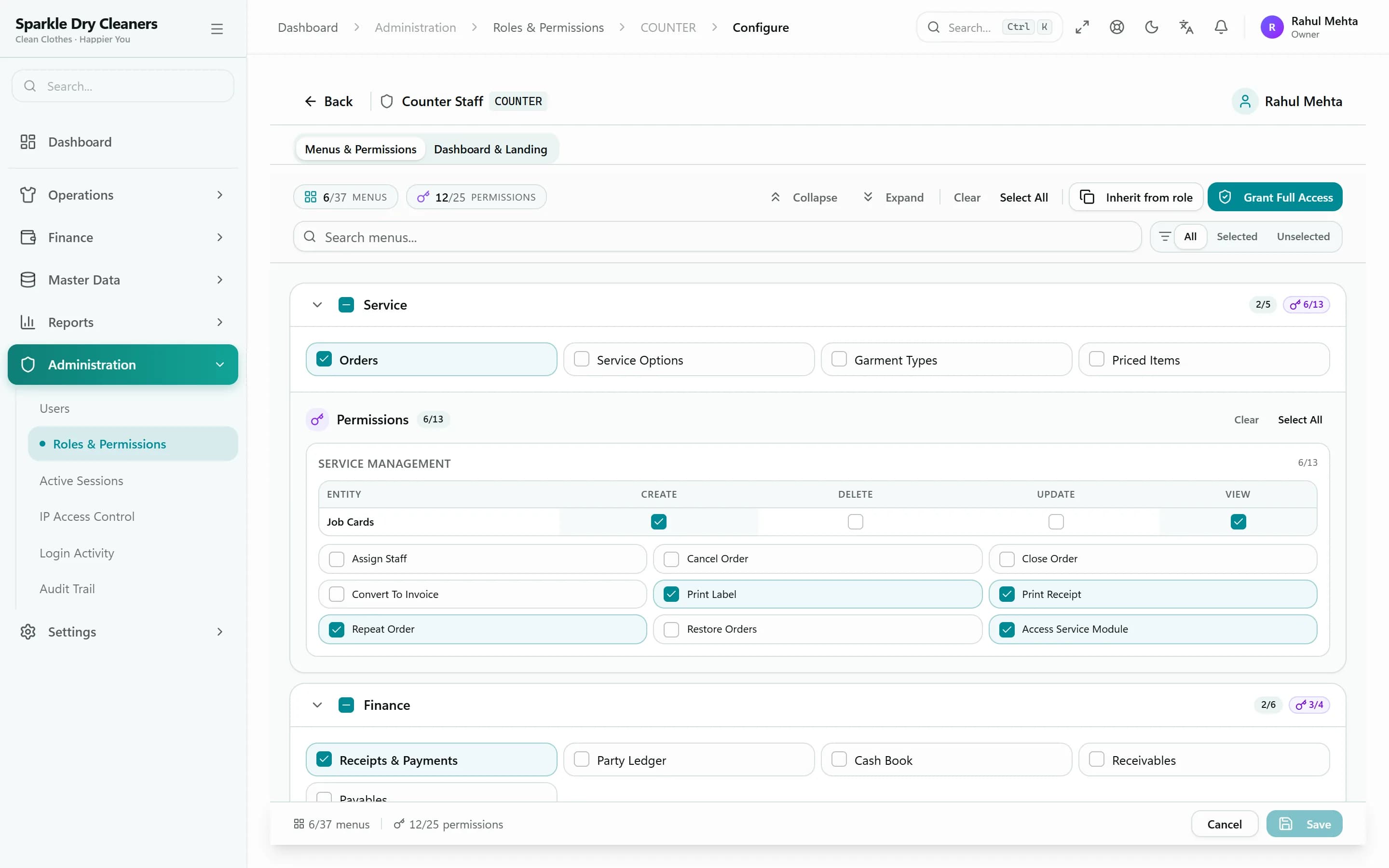
Assign users to branches and roles. Each role has its own menus and permissions, and seat limits are enforced from one screen.
- Users limited to selected branches
- Five ready-made roles, plus custom roles
- Owner can sign in as any user to check access
- Emergency lock for all staff
Consistency
The same process in every branch
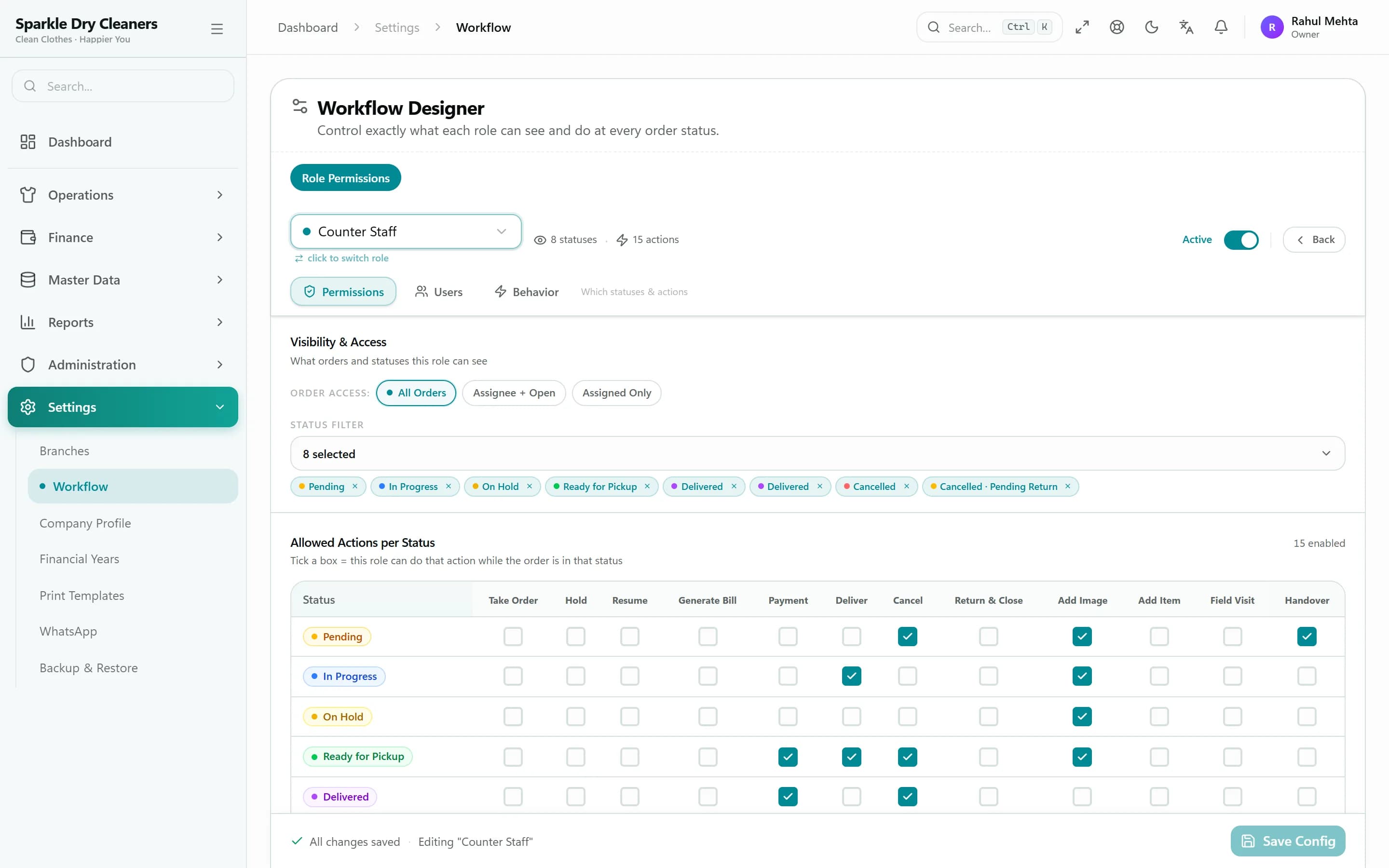
The workflow designer decides which actions each role can take, which stages they see, whether prices are visible and how long they can undo — so every branch follows the same rules.
- Allowed actions and visible stages per role
- Price visibility per role
- Undo window per role
- Automatic or manual billing
Step by step
Adding a branch in KIWIKIT
Create the branch
Add its name and contact details. Its orders get their own branch-wise numbers.
Connect its WhatsApp sender
Customers of that branch hear from that branch's number.
Assign staff
Give users access to the branch with the role they need.
Start taking orders
The branch shares your customer base and follows the same roles and workflow from day one.
FAQ
Common questions
How many branches can I run?
Plans include one branch and four users. Extra users cost ₹83 per user per month, and additional branches are added on request — tell us how many branches and staff you have and we'll quote a setup for you.
Do customers have to be added again at each branch?
No. Customers are shared across branches, so a customer added at one branch is recognised at all of them.
Can I stop staff from seeing other branches?
Yes. Each user can be limited to specific branches, and their role controls which menus, actions, stages and prices they can see.
Can each branch send WhatsApp messages from its own number?
Yes. Each branch can have its own WhatsApp sender, so messages come from the branch the customer visited.
See KIWIKIT running your counter
Start a free trial and set up your rate card today, or book a demo and we'll walk you through it with your own garments and services.