Dry cleaner billing software
Dry cleaner billing software that builds the bill as you work
Rates come from your rate card, the bill is ready when the clothes are, and every advance, part-payment and refund is recorded — so you always know who has paid and who still owes.
How does billing work in dry cleaning software?
In KIWIKIT the order is the bill. As the counter adds garments and services, rates come from the shop's rate card. The bill can be generated automatically when the last garment is finished, or manually by staff with permission.
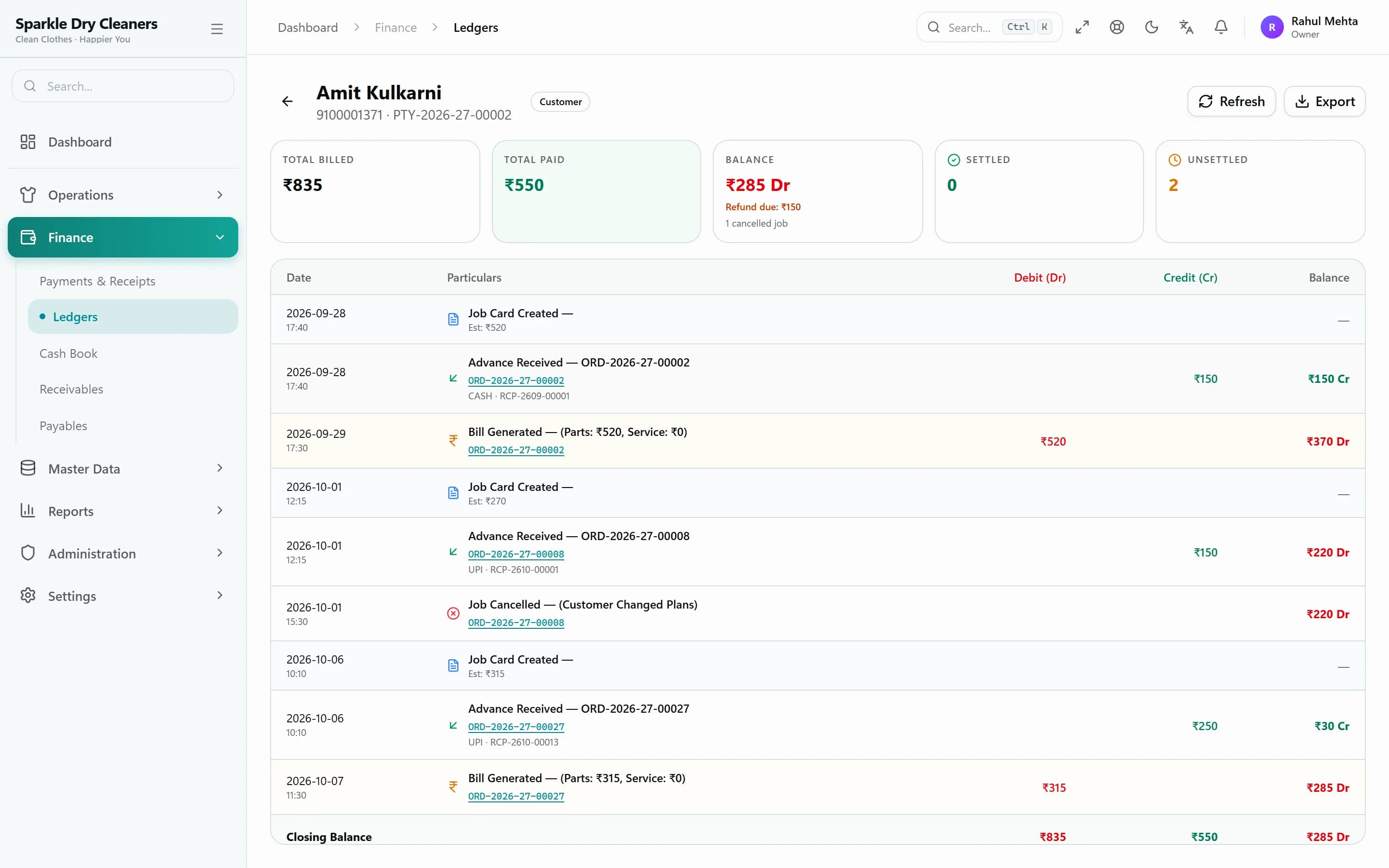
Payments are recorded as receipts against the order — an advance at intake, part-payments, the balance at handover, or a refund on cancellation. Anything unpaid appears in receivables and the customer's ledger, and a WhatsApp payment reminder is one tap away.
Who it's for
Counters handling cash and UPI
Record every payment mode and see the day's collections at a glance.
Shops with regular customers
Running balances, credit limits and ledgers for customers who pay later.
Owners who want clean books
A cash book and daily receipt summary without adding up slips.
Outstanding
Know exactly who owes what
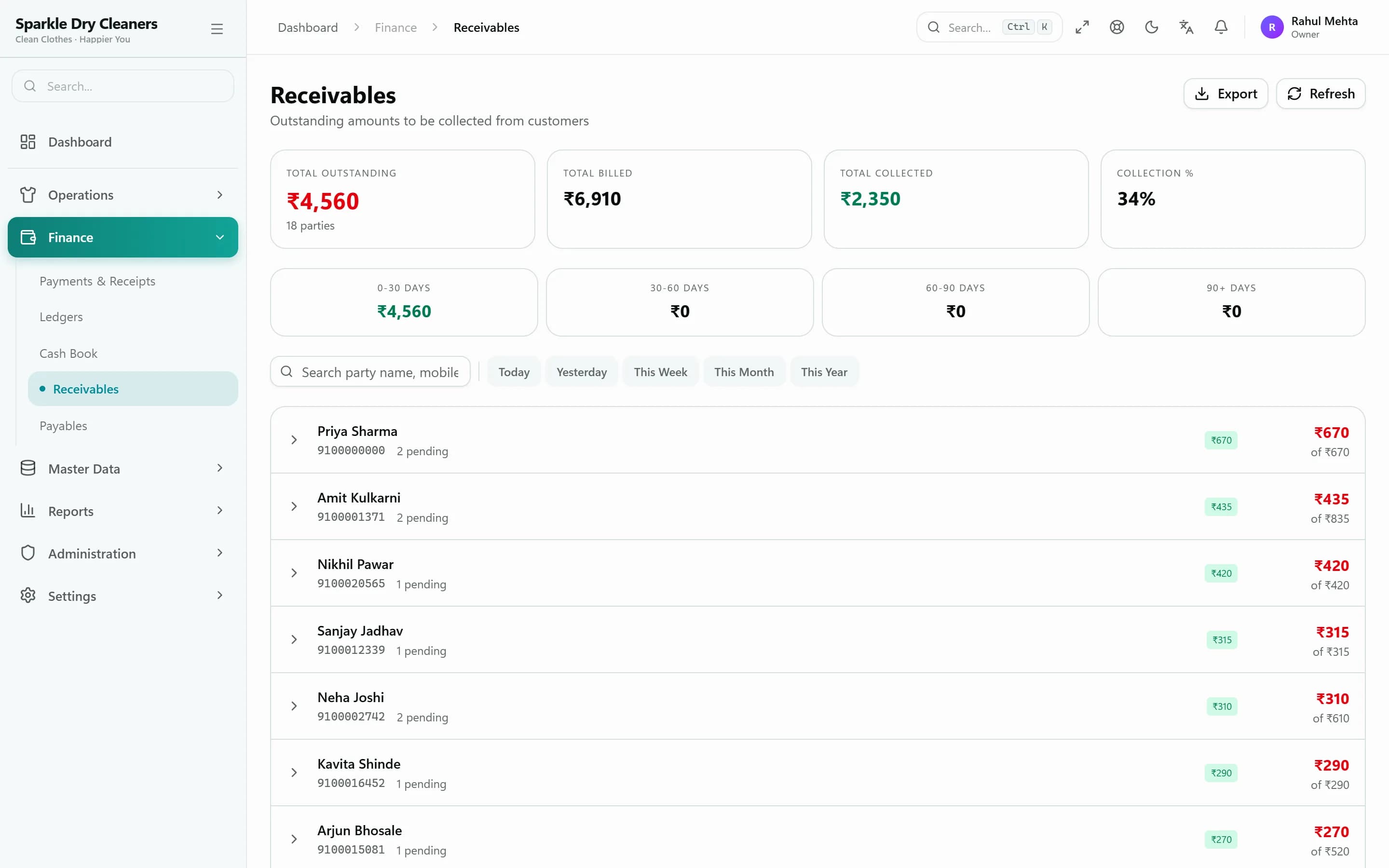
Receivables list every customer with a balance, and each customer's ledger shows every order and receipt. Send a WhatsApp payment reminder straight from the list.
- Receivables with WhatsApp reminders
- Customer ledger and outstanding balance
- Credit limit and credit days per customer
- Cash book and daily receipt summary
Bills & receipts
Advances, part-payments, discounts and refunds
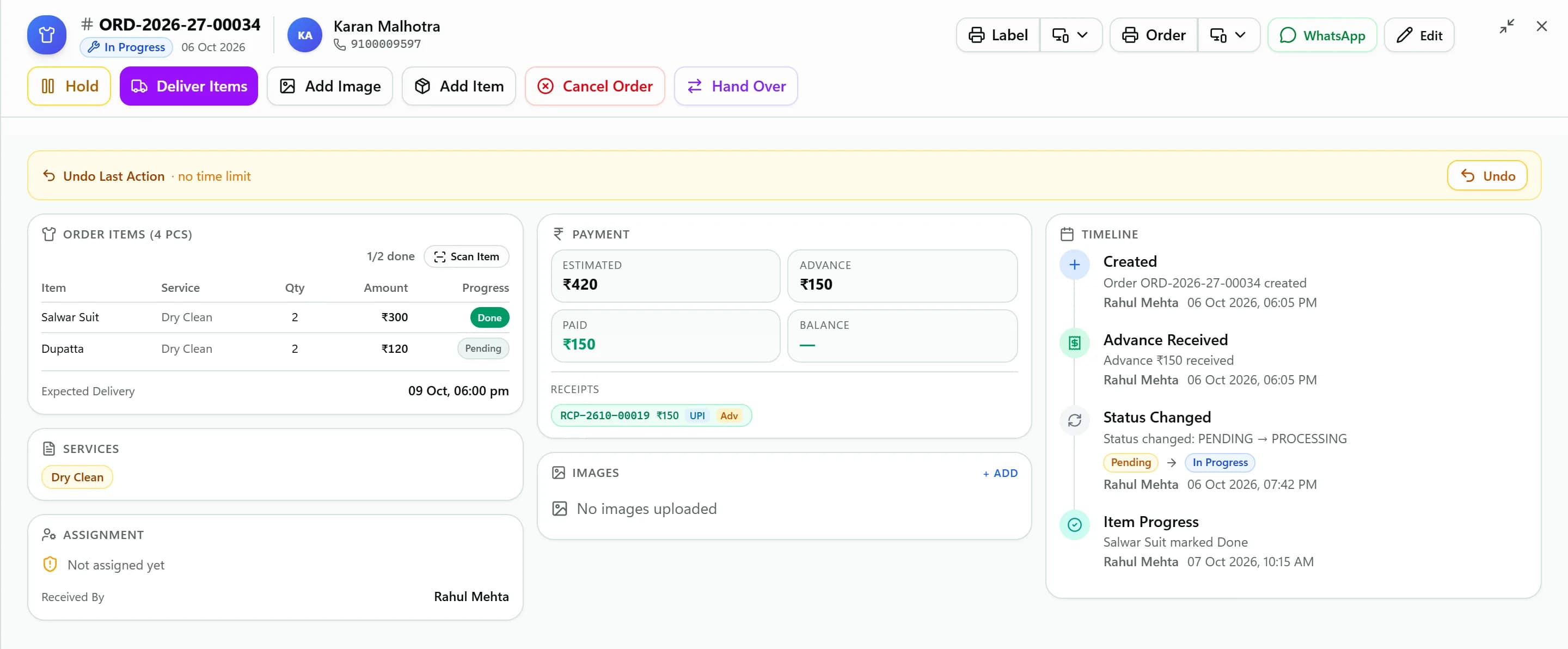
Take an advance at intake, accept part-payments, apply a discount in % or ₹, write off a small gap or keep it as outstanding with a reason, and issue refunds on cancellation.
- Cash, UPI, card, bank transfer, cheque
- Several receipts per order
- Void a receipt with a reason
- Cancellation charge and refund receipt
Printing
Print the bill the way your customers expect
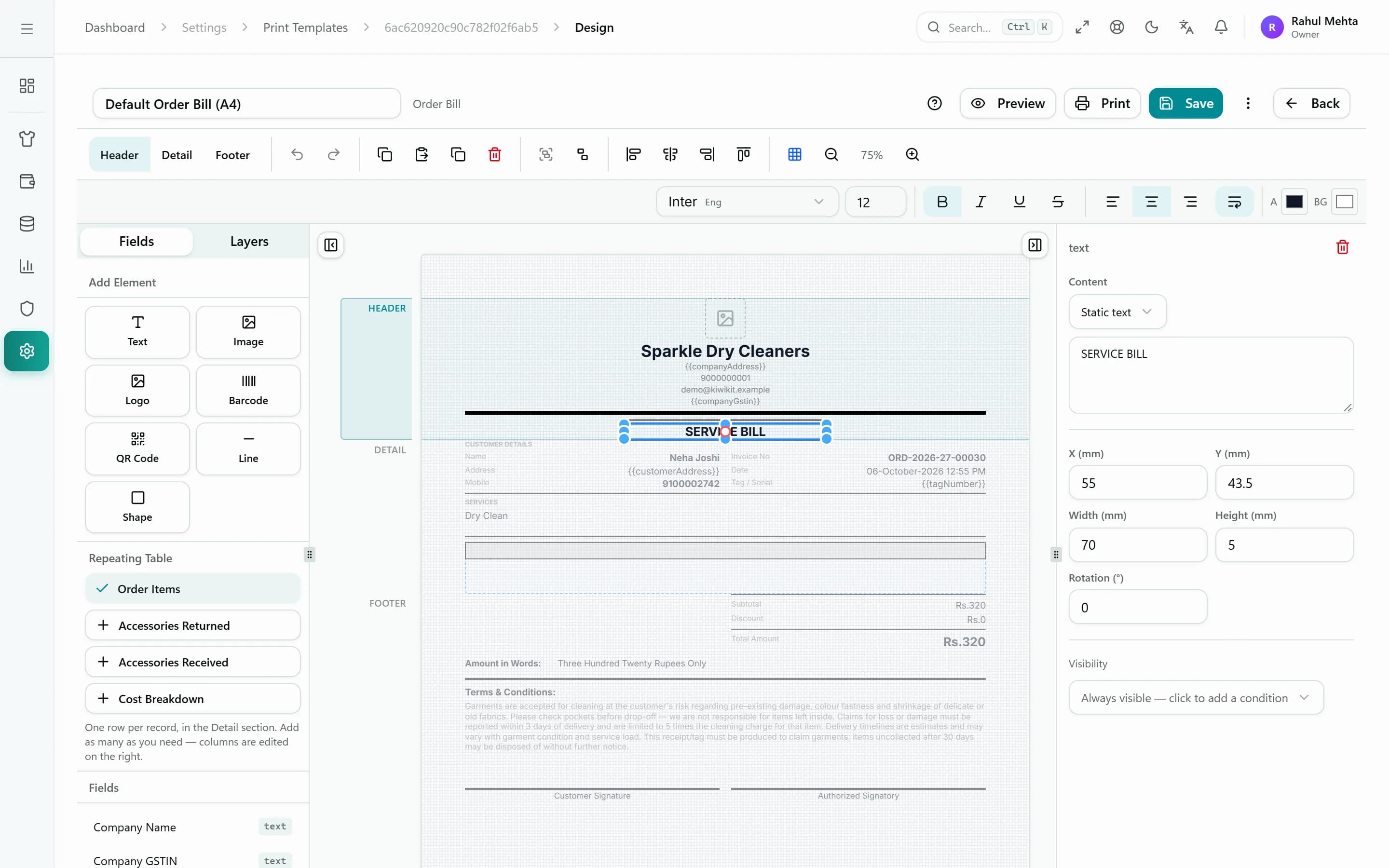
58 mm and 80 mm thermal receipts, A4 and A5 bills including Marathi templates, and a drag-and-drop designer to put your logo, terms and footer exactly where you want.
- Thermal 58/80 mm and A4/A5
- Marathi bill templates
- Visual template designer
- USB, Bluetooth or Windows print agent
Compare
Counter billing on paper vs. in KIWIKIT
| Task | Paper bill book | KIWIKIT |
|---|---|---|
| Pricing each garment | Look up or remember the rate | Rate fills from your rate card |
| Advances and balances | Written on the slip, easily lost | Receipts linked to the order |
| Finding unpaid bills | Flip through the book | Receivables list and customer ledger |
| Reminding customers | Phone calls | WhatsApp reminder in one tap |
| End-of-day totals | Add up by hand | Dashboard and daily receipt summary |
FAQ
Common questions
Can I print bills on a thermal printer?
Yes. KIWIKIT prints 58 mm and 80 mm thermal receipts and bills, as well as A4 and A5 bills. You can print from the browser, connect a printer directly over USB or Bluetooth, or use the Windows print agent.
Can I give a discount on a bill?
Yes. Discounts can be given as a percentage or a fixed amount. If a customer pays slightly less, you can write the gap off as discount or keep it as outstanding with a reason.
How do I track unpaid bills?
Every unpaid amount appears in the receivables report and in the customer's ledger. You can send a WhatsApp payment reminder from receivables.
Can I print bills in Marathi?
Yes. Marathi A4 and A5 bill templates are included, and the whole interface can be switched to Marathi or Hindi.
See KIWIKIT running your counter
Start a free trial and set up your rate card today, or book a demo and we'll walk you through it with your own garments and services.